






AirOps offers powerful SEO automation and content workflows, but that power comes at a cost most teams don't anticipate.
Here's the pattern we've seen across dozens of teams:
You invest a week building your first workflow—configuring data inputs, chaining AI steps, testing conditionals—only to realize the output still requires heavy human editing. The content reads generic. The insights lack depth. The voice needs complete rewriting.
AirOps promises scale through automation, but delivers complexity through configuration. Most marketers joined to produce better content, not to debug workflow logic, manage template libraries, or troubleshoot why step seven failed when column headers changed.
TL;DR (80 sec read)
The pattern is clear: if AirOps' rigid template system, the 1,000-task monthly ceiling, or the $0.025 per-task overage fees create friction in your workflow, you're not alone. Teams that once accepted complexity as the price of automation now expect tools that adapt to their process—not the other way around.
Whether you're hunting for transparent pricing, workflows that don't require a manual to maintain, or platforms that extend beyond pure SEO use cases, the alternatives below offer meaningful departures from AirOps' model. We've mapped seven options, the architectural trade-offs each makes, and the decision criteria that matter when your content operation scales.
Here's how each tool compares across eight dimensions—ease of use, agentic capability, versatility, batch operations, and scaling posture.
Why Teams are Looking Beyond AirOps
Template fatigue. AirOps excels at pre-baked prompts, but large teams quickly juggle dozens of near-duplicate recipes, creating governance overhead.
Cost anxiety. After the free Solo tier, extra tasks cost $0.025 each and scale plans jump to custom pricing, which can sting during content sprints. Many teams research airops pricing and airops cost structures only to find the overage model creates budget unpredictability.
Single-track focus. AirOps is built for SEO writing. If you need to loop through thousands of rows, call code, or store long-term memory, you're back to Zapier spaghetti.
When weighing airops pros and cons, users appreciate the polished templates but often cite rigidity in airops reviews and airops customer feedback. Result: high-intent users search AirOps alternatives hoping for deeper automation without a six-month learning curve.
Tool | Best-fit persona | Core orientation | Ease of use | Agentic capability | Versatility beyond content | Batch / grid / table-style ops | Scaling posture | Editorial take |
|---|---|---|---|---|---|---|---|---|
Metaflow | Founder-led teams, agencies, growth operators | Broad growth agents + workflows | 4.5 | 4.5 | 5.0 | 4.0 | 4.5 | The most pragmatic “one system for growth work” option |
AirOps | AI-search and content ops teams | AI visibility + content workflows | 3.5 | 3.5 | 2.5 | 4.5 | 4.5 | Strong if your world revolves around content/AI-search operations |
Searchable | Lean teams focused on AI visibility | AI search visibility + actionable optimization | 4.0 | 2.5 | 2.5 | 3.0 | 4.0 | Better if you want AI visibility with simpler, clearer pricing |
Writesonic | SEO/content teams wanting AI visibility + execution | GEO/SEO/content platform | 4.0 | 2.5 | 2.5 | 3.0 | 4.0 | Cleaner if the job is visibility + content, not broader ops |
Clearscope | Editorial and SEO teams | Discoverability, optimization, monitoring | 4.5 | 2.0 | 2.0 | 3.0 | 4.0 | Best for disciplined content teams optimizing and protecting traffic |
Jasper | Brand-governed marketing organizations | Marketing AI workspace | 4.0 | 3.5 | 3.0 | 2.5 | 4.0 | Better for controlled marketing production than broad ops |
Gumloop | Builders, startups, ops generalists | Browser-based AI automation | 4.0 | 4.5 | 4.5 | 3.5 | 4.0 | Great for fast automation and experimentation |
Copy.ai | Enterprise GTM teams | GTM AI + workflow credits | 4.0 | 4.0 | 4.5 | 4.0 | 4.5 | Much more GTM/ops oriented than most people realize |
With the landscape mapped, here's what each alternative actually ships, what it costs, and where it breaks down.
Top 7 Best AirOps Alternatives in 2026 for Content Automation
1. Metaflow AI — broadest operating layer for growth teams that need more than SEO

Metaflow doesn't try to out-AirOps AirOps. It takes a wider view of what modern growth teams actually need—and builds the operating layer around that.
Where AirOps locks teams into pre-built SEO recipes and linear workflows, Metaflow is a visual AI agent builder: arrange data, logic, and models on one canvas, then watch each step execute in real time. Content pipelines, LinkedIn prospecting, account-based enrichment, Reddit SEO, product-signal routing—all agents share the same workspace and logic layer. The comparison table reflects this: 5.0 on versatility beyond content, 4.5 on agentic capability, 4.5 on ease of use.
Pricing starts at $19/month for Solo Growth, $100/month for Teams. Twenty-plus frontier models, 2,000+ publishing connectors, MCP integrations, flat-rate execution credits—no per-task overage math. For founder-led teams, lean GTM orgs, and agencies that refuse to stack five subscriptions for one growth motion, Metaflow is affordable enough to start and broad enough to grow into. The AirOps vs Metaflow comparison stops being about feature parity and becomes about operating fit. See also Gumloop vs Metaflow.
2. Writesonic — AI visibility plus SEO plus content in one system

Writesonic has evolved well beyond its origins as an AI writing tool. It now ships as a complete AI search optimization platform—combining AI Search Visibility Tracking across 10+ engines, an AI Optimization Engine, premium SEO data, article generation, and audit capabilities under one roof. Visibility insights draw from 200M+ real AI conversations.
GEO Professional starts at $199/month (annual) or $249/month (monthly); GEO Advanced at $399/$499. Enterprise tiers include a dedicated GEO strategist and multi-market AI Mode tracking. For marketing teams whose core job is improving discoverability across search and AI answer surfaces while still shipping content, Writesonic is a tighter fit than tools that spread thinner—more all-in-one visibility and SEO operator than broad GTM orchestration layer.
3. Jasper — marketing AI with brand governance and campaign polish
Jasper makes the most sense when the buying center is the marketing organization itself—not a scrappy ops builder or solo growth hacker. The platform now positions around putting AI agents to work for marketing and orchestrating end-to-end campaign workflows. Pro and custom Business plans are available, with a 7-day free trial to evaluate fit.
Jasper serves teams that care deeply about brand consistency, campaign collaboration, and controlled production workflows. The comparison table scores it 4.0 on ease of use and 3.5 on agentic capability—strong for governed marketing content, less compelling if you need a cheaper, more composable system across growth motions. For established marketing teams that want AI with guardrails and polish, Jasper still earns its seat.
4. Searchable — AI visibility tracking with action-oriented optimization

Searchable answers a different question than most tools on this list: not "how do I build a more complex workflow?" but "how do I understand and improve how often I show up in AI answers?" Plans start around $50/month. The product emphasizes real-time AI search monitoring, competitor insights, tracked prompts, site audits, and AI-optimized article generation.
That makes Searchable strong for smaller teams, content leads, and operators who want visibility tracking plus guided optimization without the heavier workflow posture of AirOps. It scores 4.0 on ease of use and 4.0 on website health/SEO ops in the comparison table—but 2.5 on outside-content versatility. Narrower than Metaflow, but sharper and easier to reason about as a pure AI visibility platform.
5. Gumloop — low-friction automation for builders who move fast
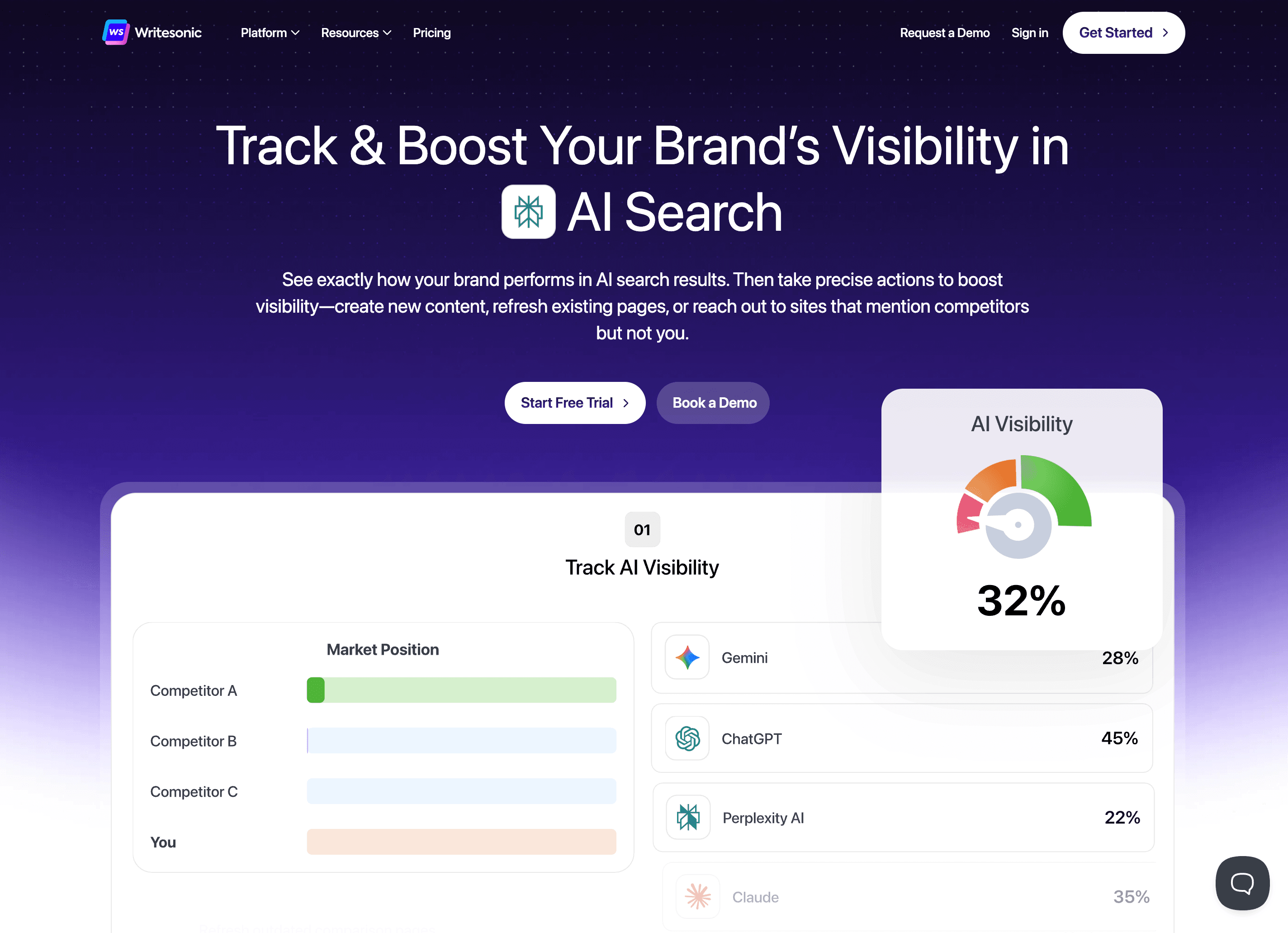
Gumloop's strongest appeal is that it feels easy to start with. A free tier ships 5,000 credits per month, Pro lands at $37/month, and even the lower end includes unlimited agents and flows. No API keys needed for mainstream models—describe a flow in plain English or snap nodes together, hit Run, and watch logs stream in the browser.
That makes Gumloop attractive for startups, operators, and solo builders who want to automate quickly without overcommitting. It is less opinionated around marketing than Jasper or AirOps, and less focused on AI visibility than Searchable or Clearscope—but for fast experimentation and hack-speed prototyping, it is one of the more approachable tools in the category. The comparison table gives it 4.5 on agentic capability and 4.5 on outside-content versatility.
6. Clearscope — editorial discipline for teams protecting discoverability
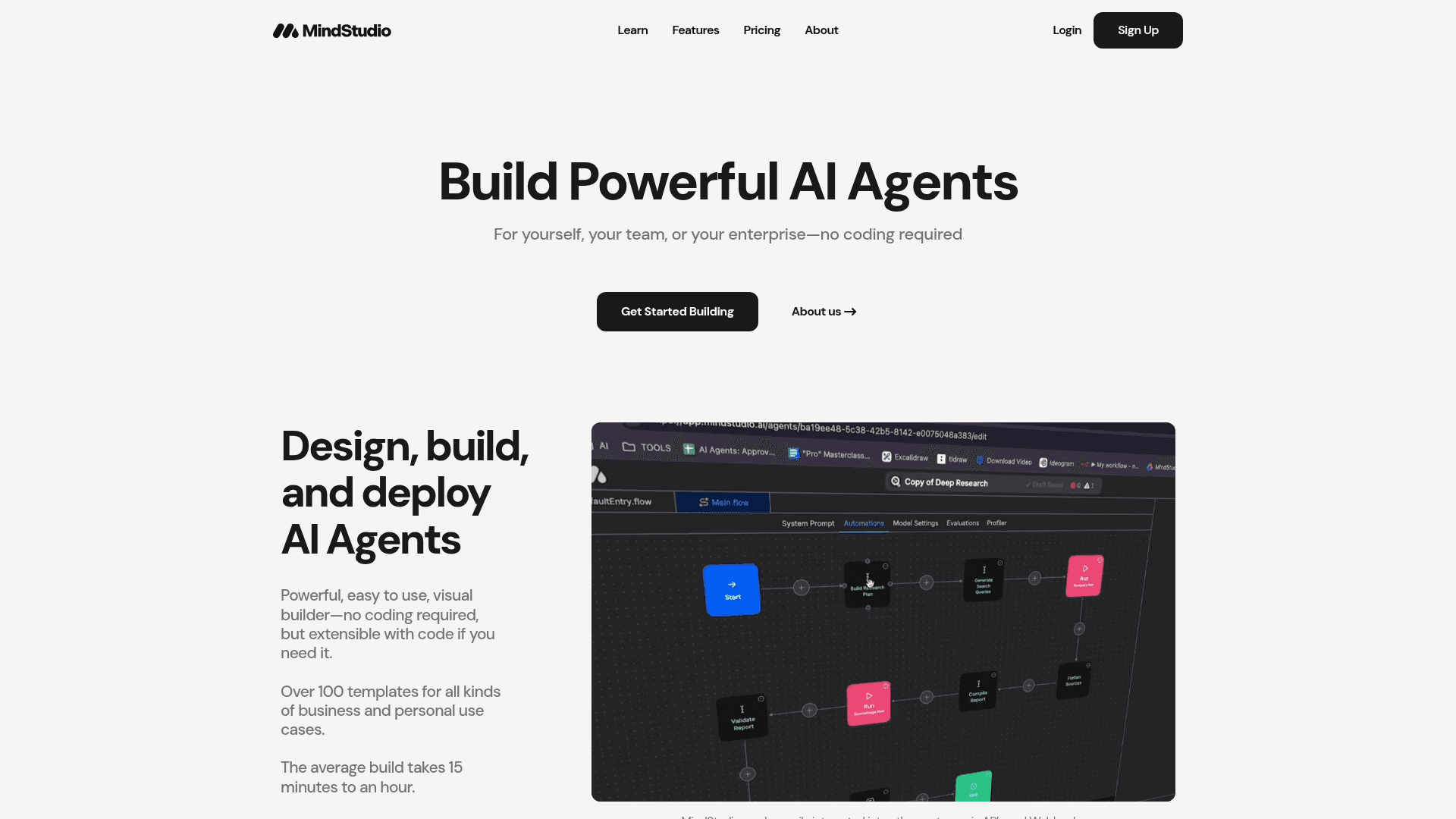
Clearscope sits closer to the needs of serious editorial and SEO teams than to general-purpose automation builders. Essentials starts at $129/month, Business at $399/month, and the product is explicitly framed around SEO and AI search visibility—topic exploration, drafts, optimization, monitoring, and internal linking.
This is a strong fit for teams that already have an editorial machine and want better guidance on what to cover, how to improve content quality, how to protect discoverability, and where to focus refresh efforts. The comparison table scores it 4.5 on content audit, 4.5 on content refresh, and 4.5 on research data depth—but 2.0 on outside-content versatility. More of a disciplined optimization layer than a broad operating system, which is exactly why it belongs in the conversation.
7. Copy.ai — enterprise GTM automation for larger revenue organizations

Many teams still remember Copy.ai as a lightweight copy tool. Its pricing and packaging now skew much more toward GTM automation. Chat starts at $29/month, Growth at $1,000/month, Expansion at $2,000/month, and Scale at $3,000/month—workflow credits and large seat counts attached to the higher tiers.
For that reason, Copy.ai belongs in the conversation less as "an affordable AirOps replacement" and more as a broader enterprise GTM-ops platform for larger revenue organizations. The comparison table gives it 4.0 on agentic capability, 4.5 on outside-content versatility, and 4.5 on scaling posture. If you are a smaller team, it is probably not the pragmatic starting point. If you are standardizing AI across a larger GTM org, it becomes much more relevant.
How to Choose the Right AirOps Alternative
1. How big do your AI workflows need to get?
Small jobs = one-click blog drafts.
Bigger jobs = multi-step loops that research, think, code, and publish on their own.
The content capability breakdown below shows exactly where each tool excels—and where it stops.
Tool | Content creation | Content audit | Content refresh | Website health / SEO ops | Research data depth | Outside-content versatility | Best content use case |
|---|---|---|---|---|---|---|---|
Metaflow | 4.5 | 4.0 | 4.0 | 3.5 | 4.0 | 5.0 | Multi-step content systems tied to broader GTM workflows |
AirOps | 4.5 | 4.5 | 4.5 | 4.0 | 4.5 | 2.5 | AI-search content ops, refreshes, large editorial pipelines |
Searchable | 3.5 | 4.0 | 4.0 | 4.0 | 4.0 | 2.5 | AI visibility tracking plus action-oriented optimization |
Writesonic | 4.0 | 4.0 | 4.5 | 4.0 | 4.0 | 2.5 | Teams that want visibility insights plus content production |
Clearscope | 4.0 | 4.5 | 4.5 | 4.0 | 4.5 | 2.0 | Content optimization, discoverability, refresh, and monitoring |
Jasper | 4.0 | 3.0 | 3.5 | 2.5 | 3.0 | 3.0 | Brand-consistent content, campaigns, marketing teams |
Gumloop | 3.0 | 2.5 | 3.0 | 2.0 | 3.0 | 4.5 | Flexible AI automation with some content workflows |
Copy.ai | 3.5 | 2.5 | 3.0 | 1.5 | 2.5 | 4.5 | GTM messaging, sales content, workflow-assisted execution |
2. What other tools do you have in your MarTech Stack?
Look for built-in buttons for CMS, Notion, CRMs, or a “marketplace” panel where you can drop new blocks in seconds.
Having MCP is a huge plus. Metaflow AI supports MCP with almost any tool in your stack.
If nothing native exists, check that it still allows plain REST or webhooks so you can roll your own.
3. Can you predict the cost for AirOps?
Example | How they charge | Estimate |
AirOps | Counts every LLM or data step as a task | Average $5000 per year minimum |
Relevance AI | Gives you a bucket of credits that reset each cycle | Average $3600 per year minimum |
Metaflow AI | Flat $99/mo for unlimited runs (up to 5 at once) | Average $240 per year minimum |
These pricing models produce very different bills at the same volume—pick the one that won't surprise you when usage spikes.
4. Is AirOps hard to learn? How steep is the learning curve for AirOps Workflows?
Starting from AirOps built-in templates can be a good start. You can clone them and take the time to figure out how it works. However, there are not really options to pick from, so there’s a fair bit of learning curve with AirOps.
To successfully learn and use AirOps in a workplace setting, you need to put in the time and effort, but they offer several hours of tutorials and resources on the website.
If you still want to accomplish and move fast using AI automation for SEO and Content-led growth, but rather spend time of strategy and things that matter as opposed to wrangling with tools and nodes, Metaflow AI is a no-brainer alternative, because it lets you create agents using plain english.
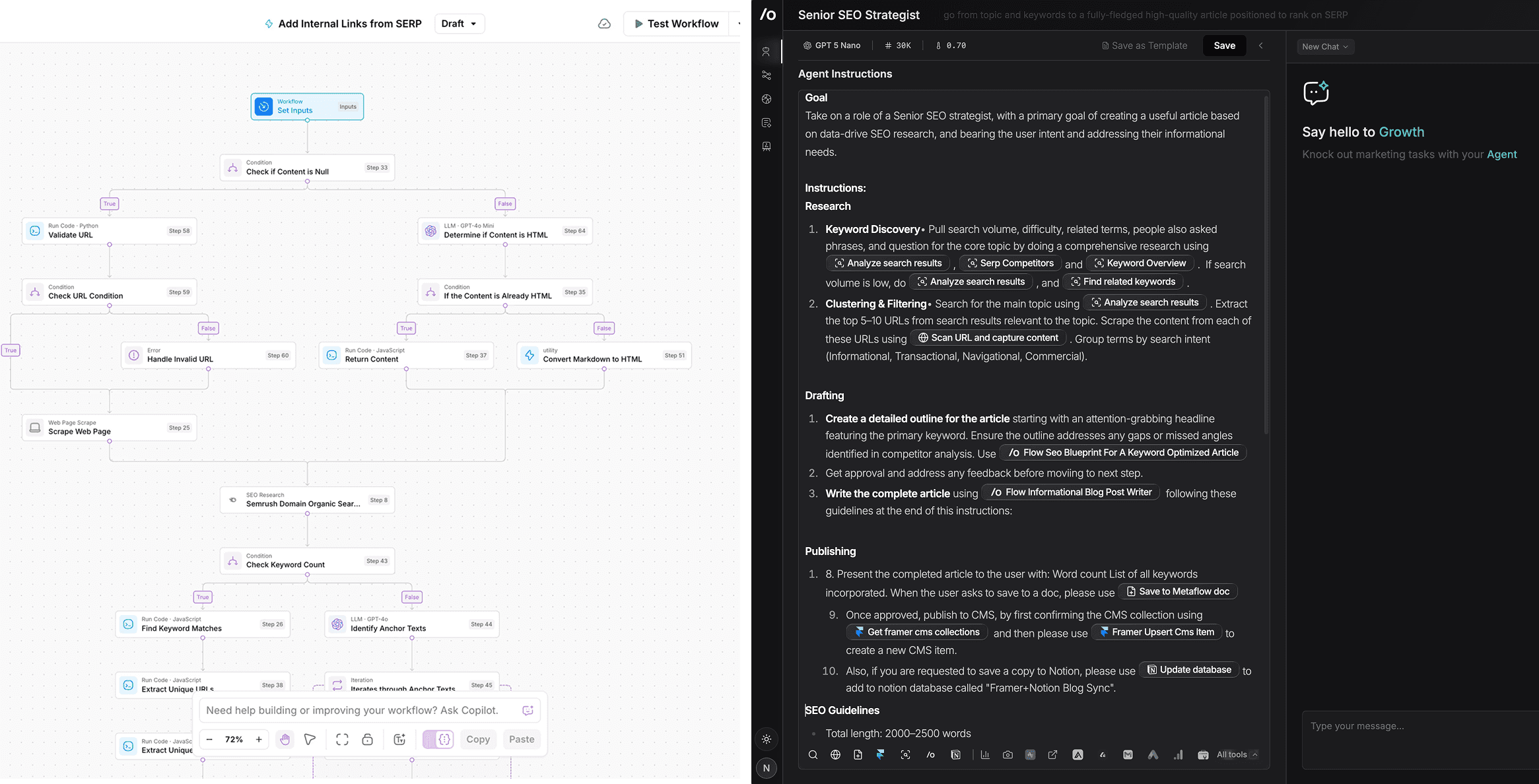
For users who want more power, and want to install AI Workflows as tools to their Agents, Metaflow AI allows you to do that with the ‘Flow’ where you can visually sketch your workflows, truly bringing the best of both worlds(AI Workflows and AI Agents) lets marketers visually brainstorm, strategize, ideate, and turn them into solid AI marketing automation to scale and batch run growth ideas.
FAQ - Frequently Asked Questions
1. Is AirOps Worth It for Agencies? (2026 Review)
AirOps can be useful for agencies that need scalable, automated workflows for content generation, data processing, or marketing operations. It offers flexible task automation, collaborative workspaces, and a "pay-as-you-grow" model. Agencies benefit from streamlined approvals and client-specific templates.
However:
AirOps costs can add up quickly for high-volume usage due to overage fees.
Some agencies cite a learning curve and limited advanced workflow customization.
If you need deep integrations or custom AI agent orchestration, platforms like Metaflow AI or Relevance AI may offer more flexibility.
2. Do In-House Content Teams Benefit from AirOps?
Yes, in-house content teams can benefit from AirOps, especially for repetitive content workflows, bulk generation, and collaborative editing.
Strengths:
Prebuilt templates for SEO research and writing save time—AirOps scores 4.5 on content creation and 4.5 on content audit in the capability table.
Version control and team management features support collaborative editing.
Integrates with major content platforms (CMS, Google Docs, etc.).
Limitations:
Feature set is weighted toward automation, not deep editorial processes—2.5 on outside-content versatility.
Agentic capabilities lag behind Metaflow (4.5), Gumloop (4.5), and Copy.ai (4.0)—AirOps scores 3.5.
No true AI agent support. Teams needing multi-step reasoning or adaptive workflows will hit a wall.
Use case | Best fits | Why |
|---|---|---|
Content creation at scale | AirOps, Metaflow, Writesonic, Jasper | AirOps and Writesonic are closest to operationalized SEO/content production; Jasper helps on brand-governed content; Metaflow fits when content is part of a broader growth system. |
Content audit + refresh | AirOps, Clearscope, Searchable, Writesonic | These are the tools most clearly packaging audits, refreshes, monitoring, or visibility-guided updates. |
Website health / SEO operations | AirOps, Clearscope, Searchable, Writesonic | Best fit for teams caring about discoverability, topic gaps, tracked prompts, audits, and SEO/AEO workflows. |
Outreach / GTM automation | Copy.ai, Metaflow, Gumloop | These are much better fits once the job expands beyond content and SEO. |
Agentic, multi-step work | Metaflow, Gumloop, Copy.ai | These remain the more naturally workflow/agentic systems in the revised set. |
Marketer-friendly setup | Clearscope, Searchable, Writesonic, Jasper, Metaflow | Better for teams that want productivity without overbuilding technical systems. |
Broadest versatility | Metaflow, Gumloop, Copy.ai | Stronger if the roadmap extends beyond SEO/content into wider growth execution. |
Editorial optimization discipline | Clearscope, AirOps | Best suited for teams that care about briefs, drafts, optimization, monitoring, and iterative refresh. |
3. Which is Better for AI Agents – AirOps or Metaflow?
Metaflow is generally better for building, deploying, and managing complex AI agents and workflows.
Metaflow AI: Build your own Agents in plain english, build tools for your agents, supports both visual automation and text based automation. Includes all frontier LLMs and MCP integrations with 1.5K apps.
AirOps: Focuses on simpler workflow automation and task-based AI; doesn’t have agents that do multi-step reasoning.
Bottom Line:
Choose Metaflow AI if AI agents and multi-step on the fly reasoning capabilities are part of the plan - think spontaneous keyword or topic research. Think advanced SEO article editing, think multi-turn editing capabilities like working with a human-editor but with an agent that has live access to keyword data and so on. With AirOps, you get a linear and static, template-driven automation that does one pre-defined task without room to adapt.
4. Does AirOps Support AI Agents Like Metaflow AI and Relevance AI?
AirOps supports basic AI-powered automations ("AI tasks"), but does not offer the same level of agentic capabilities, memory, or multi-step reasoning as Metaflow AI or Relevance AI.
No persistent, stateful agent support.
Limited ability to chain or nest agents for complex use cases.
If your use case requires:
Long-term memory, multi-turn reasoning, or advanced agent building → Metaflow AI or Relevance AI is a better fit.
5. What is Missing in AirOps Compared to better alternatives?
AI agents: AirOps scores 3.5 on agentic capability versus Metaflow at 4.5 and Gumloop at 4.5. No agent creation, no multi-step reasoning, no adaptive execution.
Versatility beyond content: 2.5 in the comparison table—Metaflow (5.0), Gumloop (4.5), and Copy.ai (4.5) all cover outbound, GTM, and cross-functional automation that AirOps cannot touch.
Integrations: Fewer native integrations than Zapier, Make, or n8n. No MCP support. Metaflow ships 2,000+ publishing connectors and MCP integrations.
Analytics: No in-depth workflow analytics or performance dashboards.
No Starter Plan: The free tier is too limited for meaningful evaluation. Teams wanting a real pilot without enterprise commitment find better entry points with Metaflow ($19/month), Gumloop (5,000 free credits), or Writesonic ($39/month).
6. What are the Biggest Disadvantages of AirOps?
Credit & usage fees: Usage-based pricing of $9 per 1,000 credits on top of the $199 base plan creates unpredictable costs at volume. The pricing table shows AirOps running $949–$1,449/month for 20 rich articles versus Metaflow at $19–$79.
Clutter and maintenance: Without agents, every use case spawns another workflow or grid. Teams spend more time on housekeeping than on strategy—AirOps scores just 3.5 on ease of use versus Metaflow and Clearscope at 4.5.
Learning curve: Hours of tutorials before generating value. Metaflow lets you bring prompts and artifacts from other tools and start immediately. Some AirOps users report needing enterprise-tier onboarding ($5K minimum annual) for proper training.
Feature and use-case gaps: 2.5 on versatility beyond content. Behind on agentic capabilities (3.5 vs Metaflow’s 4.5, Gumloop’s 4.5). Limited to SEO generation—Metaflow, Gumloop, and Copy.ai all cover broader growth execution.
8. What are the Biggest Advantages of AirOps?
Ease of use: Intuitive UI for building simple automations.
Team collaboration: Strong workspace and permission controls.
Affordable entry tier: Free plan accommodates small teams or pilots.
Quick deployment: Prebuilt templates accelerate setup.
Reliable performance: Handles high task volume with good uptime.
9. Can I edit the contents on AirOps itself or should I integrate with Google docs?
Yes. Airops offers a basic text editor for the last mile.
10. How does it handle large or repetitive jobs?
AirOps offers ‘Grid’ that lets you run multiple workflows from an AirTable like interface.
11. How much does AirOps actually cost?
It starts at $199 a month and realistically you will spend about $5000 annually. You can read this detailed AirOps pricing breakdown and actual cost estimation for a in-depth review.
Tool | Rough monthly cost for 20 rich articles | Notes |
|---|---|---|
Metaflow | ~$19–$79 | Still the most aggressive low-end cost story if you’re efficient with credits. |
AirOps | ~$949–$1,449 | Scenario math: ~50k–70k tasks for 20 rich posts, minus 20k included Solo tasks, plus overages at $0.025/task, using the same third-party task-per-article estimate. |
Searchable | ~$125–$165 | Professional includes 20 articles/mo, so this is one of the cleanest fits if AI visibility + article generation is the core use case. |
Writesonic | ~$99 | Standard includes 30 article generations/mo, so 20 articles still fit inside one plan. |
Clearscope | ~$149–$229 + writing stack | Essentials includes 20 drafts, but again this is optimization math, not a full production-stack number. |
Jasper | ~$69 | Still one seat; cost-per-article improves as volume rises, assuming one seat is enough for your workflow. |
Gumloop | ~$37–$120 | Possible, but less predictable than content-native tools because everything depends on flow complexity. |
Copy.ai | ~$29 on Chat, $1,000 on Growth | Cheap at the chat layer, expensive once you need the real workflow platform. |
Final Verdict
If you’re bumping into AirOps’ task caps or longing for true end-to-end automation, Metaflow is the most flexible jump-point—visual where you want drag-and-drop, code-ready where you need power. Start building your first workflow in under five minutes (no credit card) and reclaim the bandwidth to think bigger.