






TL;DR
Why look beyond Gumloop — credit-based pricing, limited integrations, and vendor lock-in create scaling and cost risks.
Evaluate alternatives on: integration breadth, logic flexibility, pricing predictability, data control, AI vs structured automation fit, and maintenance overhead.
Top alternatives trade off AI-native features for broader integrations (Zapier, Make) or offer deeper control via self-hosting (n8n, Activepieces).
Switching requires rebuilding workflows, managing infrastructure (if self-hosting), or combining tools for AI and structured logic.
Best choice depends on priorities: ease + AI + predictability → Activepieces; control + customization → n8n; broad apps + simplicity → Zapier/Make; AI-heavy tasks → AI-native platforms.
If you're reading this, chances are you've been exploring Gumloop alternatives, reading through Gumloop reviews, or diving into a Gumloop competitor comparison to figure out which AI workflow automation tool is the right fit for your team.
We get it. Choosing the right automation platform is tough, especially when you're juggling priorities like pricing predictability, integration depth, AI capabilities, and long-term scalability. You're not just looking for a tool; you're looking for a partner that can grow with your workflows, handle complexity gracefully, and won't surprise you with hidden costs or limitations down the road.
That's why we've put together this in-depth guide. Whether you're frustrated with credit-based pricing, need deeper integrations, want more control over your data, or simply want to explore what else is out there, this comparison will help you make an informed decision. Let's dive in.
The Best Gumloop Alternatives in 2026
Tool | Best For | Pricing | Core Strength |
|---|---|---|---|
Metaflow AI | Growth marketers | Free tier; $19/mo+ | Unified workspace for AI + data + automation |
n8n | Developers | Free (self-host); $20/mo cloud | Custom code + logic branching + open source freedom |
Make.com | Operations teams | Free tier; $9/mo+ | Rich visual flow builder, mature integration library |
Zapier | Business users | Free tier; $19.99/mo+ | Massive integration catalog; minimal setup |
Relay.app | Collaborative teams | Free tier; $10/mo+ | Combines AI automation with manual checkpoints |
Activepieces | Technical teams | Free (self-host); $15/mo cloud | Visual builder + self-host option + extensible code |
MindStudio | AI builders | Free tier; $49/user/mo+ | Access to 50+ AI models; versatile deployment options |
What is Gumloop?
Gumloop is positioned as an AI-first automation tool built for no-code teams: it lets non-engineers automate workflows, combine LLM-steps with data flows, run web-scraping, PDF parsing, classification, extraction and more — via “nodes” on a visual canvas.
What Does Gumloop Do?
Gumloop is an AI-first visual automation tool that lets non-technical users build workflows using a node-based canvas. It combines:
AI model calls (LLMs)
Web scraping
Data extraction & classification
API-based integrations
Browser automation
It’s positioned as a bridge between no-code automation (like Zapier) and AI-native execution.
What Is the Purpose of Gumloop?
The core purpose of Gumloop is to help teams automate workflows that involve AI reasoning, unstructured data processing, and browser-based actions — without writing code.
It aims to make AI automation accessible to non-engineers.
What Are the Benefits of Gumloop?
AI-native steps built into the platform
Visual drag-and-drop interface
Useful for scraping + enrichment + classification
Fast prototyping for AI-driven tasks
Browser execution capabilities
For small to mid-sized AI workflows, it can feel powerful.
Why Look Beyond Gumloop — What Does Gumloop Offer (and Where It Limits You)?
Gumloop excels if you want browser-embedded automation or quick AI-powered flows.
But there are trade-offs: integration breadth is narrower compared to legacy automation platforms; long-term scaling or custom integrations can be painful; credit-based or AI-native billing can get unpredictable.
So if you care about flexibility, control, cost-predictability, or deeper automation — it’s prudent to evaluate Gumloop competitors. That’s where the “best gumloop alternatives” list below comes in.
Is Gumloop Any Good?
Yes — for certain use cases.
Gumloop works well if:
You’re building small AI-driven workflows
You need scraping + AI enrichment
You don’t have engineering support
You’re okay with credit-based billing
Where it becomes limiting is when:
Workflows scale in volume
Credit costs spike
You need deeper integrations
You require predictable infrastructure-level control
Can Gumloop Improve My Website’s SEO?
Indirectly — yes.
You can use Gumloop to:
Scrape competitor sites
Extract keywords
Classify SERPs
Generate AI-written content
Automate enrichment
But it is not an SEO platform. It lacks:
Built-in keyword databases
Entity modeling
Native CMS publishing flows
Structured internal linking automation
If SEO is your core workflow, purpose-built AI marketing platforms (like Metaflow) may offer deeper alignment.
The 7 Best Gumloop Alternatives in 2026
1. Metaflow AI
What is Metaflow AI: Metaflow AI is the AI Marketing Workspace for growth and marketing teams moving beyond brittle connectors. It features an AI Agent builder designed from the ground up to serve marketers automating complex, end-to-end growth marketing workflows.
Best For: Growth marketing focused teams needing scalable AI agents and AI workflows to automate inbound, outbound, ABM, PLG and full-funnel growth..

Key Differences vs Gumloop:
Natural language AI Marketing Agent builder, with SEO data baked into the platform without need to purchase additional tool.
Connect to Google Ads, LinkedIn Ads, CMS (Framer, Webflow, and more) and all your marketing tools and leverage agents to orchestrate across apps in plain english.
No-code AI automation workflows enabling flexibility for technical and non-technical workflows.
Offers modern integration layer via MCP with hundreds of apps, improving over Gumloop’s limited (~40) native integrations.
Single workspace for idea → execution, integrating AI prompts, data, and logic.
For a detailed side-by-side comparison, see our gumloop vs metaflow ai guide.
2. n8n
Positioning: Code-friendly, self-hostable automation engine for developers and ops teams.
Best For: Teams needing full control over logic, data ownership, and custom integrations.

Key Differences vs Gumloop:
Open-source and self-hostable — no vendor lock-in or unpredictable credit-based costs.
Supports custom JavaScript/Python, complex branching, looping — enabling workflows far beyond template-style automations.
Better suited for building integrations to internal APIs or legacy services that typical no-code tools skip.
3. Make.com
Positioning: Mature visual workflow builder optimized for complex multi-step business logic.
Best For: Teams needing data-heavy processes, multi-step orchestration, and robust visual logic.
Key Differences vs Gumloop:

Rich visual canvas and mature integration ecosystem — ideal for complex workflows and transformations.
Better for structured data flows, integrations with CRMs, datastores, and business tools compared to AI-native tools.
4. Zapier
Positioning: Classic automation tool — triggers + actions — optimized for breadth and simplicity.
Best For: Lightweight workflows, simple triggers, broad SaaS connectivity.

Key Differences vs Gumloop:
Huge catalog of integrations — useful when you need broad connectivity without custom code.
Minimal setup overhead; familiar to many teams; good for simple triggers and linear automations.
5. Relay.app
Positioning: Hybrid automation platform combining AI steps with human-in-the-loop control.
Best For: Teams that need oversight, approvals, or manual checkpoints mid-workflow.

Key Differences vs Gumloop:
Supports conditional logic, wait states, human approval gates alongside automated steps.
Offers a balance: automation for repetitive tasks + human judgment for edge cases.
6. Activepieces
Positioning: Open-source, extensible automation tool blending no-code UI with the option for custom code and self-hosting.
Best For: Teams valuing data-ownership, flexibility, affordability, and custom extensions.

Key Differences vs Gumloop:
Self-hostable — avoids cloud vendor lock-in, credits, and unpredictable pricing.
Visual builder for non-technical use + ability to mix in custom code for power users.
Cost-effective — free to self-host; generous free tier even for cloud hosted usage.
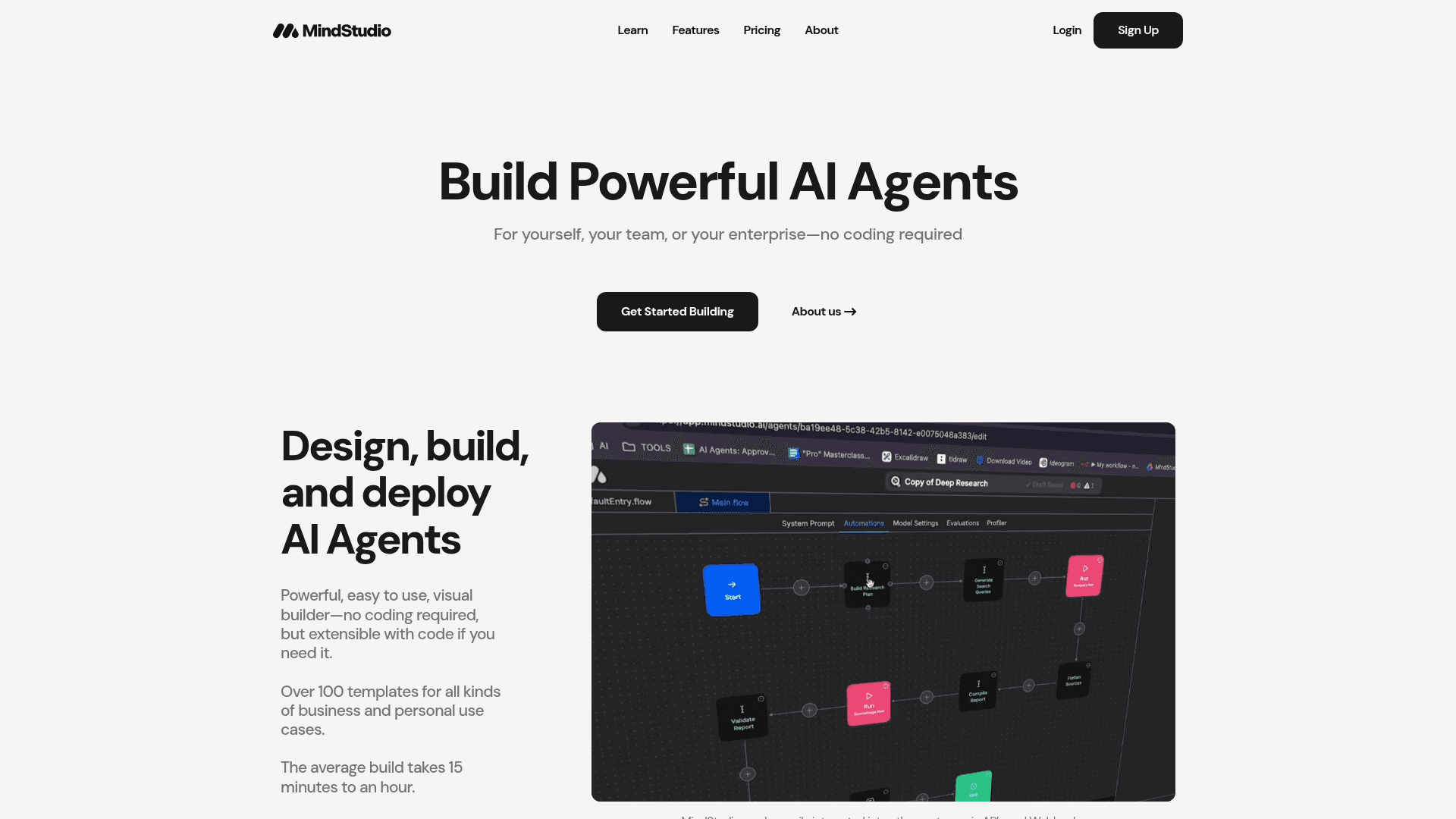
7. MindStudio
Positioning: No-code platform for building custom AI applications and automating workflows using multiple AI models.
Best For: Teams and individuals needing to create tailored AI solutions without programming expertise.
Key Differences vs Gumloop:
Intuitive drag-and-drop interface accessible to non-technical users.
Access to over 50 AI models from OpenAI, Anthropic, Google, Mistral, and Meta — more versatile than Gumloop's model selection.
Multiple deployment options: web apps, browser extensions, email triggers, webhooks, or API endpoints.
Supports data ingestion in various formats with RAG functionality for enhanced AI accuracy.
Collaborative workspaces for team-based AI app development and project management.
Limitations / Trade-offs: Learning curve despite user-friendly design; advanced features locked behind paid plans; pricing concerns for small teams at higher tiers ($49/user/month for Teams plan).
When It's a Bad Choice: If you need immediate access to all features without budget constraints, or if you require simpler pricing structures without per-user costs.
Where Gumloop Falls Short (and Why Users Start Googling Alternatives)
Gumloop Cons | Evidence | Why It Hurts in 2025 |
|---|---|---|
Steep first paid tier – $97/mo for 30 K credits | Official pricing page; third-party breakdown | Solopreneurs burn credits fast and outgrow the free plan. |
Opaque credit math | Docs & reviews flag confusion over “credits vs. runs” | Hard to forecast ROI or cap overages. |
Learning-curve shock | Users report 50–100 hrs to feel fluent | No-code promise clashes with real debugging savvy. |
Shallow long-tail integrations | Gumloop-vs-Zapier post notes gaps | Edge-case APIs still require custom work. |
Reliability hiccups on long runs | Forum threads on time-outs & stuck flows | Night-long campaigns need higher uptime SLAs. |
Limited governance/versioning | Docs describe basic JSON export; no Git-style history | Regulated orgs demand SOC 2, RBAC, and diff-aware rollbacks. |
These limits don’t make Gumloop “bad”—they just draw its current box. If your workloads live beyond that box, looking elsewhere is rational.
What Criteria Should You Use When Comparing Gumloop vs Alternatives? (The Decision Framework)
Before diving into specific tools, weigh each candidate against a consistent set of criteria:
Integration depth and breadth (native connectors, APIs, webhooks) — does it support your SaaS stack?
Flexibility: support for branching logic, loops, custom code or extensibility vs rigid template-based flows
Pricing and cost predictability versus credit-based or usage-based pricing like Gumloop’s
Data ownership, self-hosting options and control over infrastructure or vendor lock-in
Suitability for AI-native workflows (LLM steps, unstructured data, AI-driven tasks) and structured automation
Maintenance overhead, scaling costs, and reliability for production/workflow-heavy usage
Why Teams Search for Gumloop Alternatives
Gumloop offered non-developers a clean canvas for automation, but several pain points drive users to explore alternatives:
High entry cost: $97/month starter tier creates a steep jump from free
Unpredictable pricing: Opaque credit math makes budget forecasting difficult
Reliability concerns: Sporadic time-outs disrupt long-running workflows
When automation volume scales or finance teams demand predictable unit economics, these friction points outweigh the initial convenience.
How Much Does Gumloop Cost?
Gumloop’s pricing starts with a free tier, but the first paid tier jumps significantly (often cited around ~$97/month for ~30K credits).
Pricing is credit-based, meaning:
Each workflow step consumes credits
AI-heavy workflows burn credits quickly
Loops and repeated steps multiply cost
How Much Does Gumloop AI Cost in Real Usage?
This depends entirely on:
Number of workflow runs
AI model usage
Looping behavior
Data volume
Many users report:
Low initial costs
Sudden scaling spikes
Difficulty forecasting usage
If budget predictability matters, this becomes a key comparison factor.
Why Metaflow AI Stands Out
If you're seeking a Gumloop alternative that addresses these core concerns, Metaflow AI delivers on critical factors:
Transparent, Predictable Pricing
Solo Growth plan: $19 for 10k execution credits
Scale Pro: 100k credits with BYO API keys
No surprise charges: Clear pricing structure for budget planning
Deep Integration & Expressive Logic
2,500-app MCP integration layer for comprehensive connectivity
Visual Flow Composer for intuitive workflow design
AI Playground for testing and iteration
Natural-language agent builder for accessible automation
Enterprise-Grade Controls
Proven uptime for production workflows
Low-code platform depth with drag-and-drop speed
Final Thoughts on Gumloop Alternatives
The Decision Framework
If Gumloop's limitations are constraining your growth, avoid making a lateral move. Evaluate alternatives against these criteria:
Pricing unit economics: Transparent vs. credit-based models
Connector depth: Native integrations and API flexibility
Logic power: Support for complex branching and custom code
Governance: Enterprise controls and compliance features
Reliability: Proven uptime for production workloads
Is Gumloop Worth It?
Gumloop is worth it if:
You want to prototype AI automations quickly
You don’t need deep infrastructure control
Your workflows remain medium-scale
You accept credit-based billing variability
It’s less worth it if:
You need predictable scaling
You expect heavy automation volume
You rely on niche integrations
You want ownership of execution infrastructure
Is Gumloop Easy to Use for Beginners?
Relatively — yes.
The interface is visual and approachable.
However:
Debugging flows can get complex
Credit math can be confusing
Scaling requires planning
It’s easier than n8n — but not necessarily “plug and forget.”
Getting Started
Growth teams increasingly skip incremental upgrades and move directly to platforms with wider runways. To determine if Metaflow AI fits your 2025 roadmap:
Start with the free tier
Stress-test a real workflow
Evaluate performance against your requirements
🔍 Who Should Use Gumloop — And Who Shouldn’t?
Gumloop Makes Sense If:
You’re a solo operator
You need scraping + AI enrichment
You want fast iteration
You lack engineering resources
It May Not Make Sense If:
You expect production-grade pipelines
You need compliance-heavy infrastructure
You want data ownership
You expect rapid scaling
FAQs
1. What limits of Gumloop do existing users complain about most — and will those matter for me?
Common complaints center on pricing unpredictability (credit usage spikes), limited depth when workflows grow, and occasional instability with long-running flows.
If your automation needs remain small (occasional scraping, light data enrichment, sporadic AI tasks) — these may be manageable. If you anticipate regular large-scale pipelines or need robust error handling, these limitations can bite hard.
2. How unpredictable is Gumloop’s pricing in real-world usage?
Very, if your flows involve AI, loops, or repeated tasks. Reviewers mention simple changes (even “minor modifications”) that dramatically increased credit consumption per run.
This makes budgeting hard — you might start cheap, then suddenly need a much higher plan or risk running out mid-month.
3. If I start small — when does Gumloop start to break (cost- or scale-wise)?
Based on public reports: when workflows shift from occasional to continuous, or when you use AI-heavy steps repeatedly. As volume grows (lead lists, scraping, repeated enrichments), credit usage tends to balloon unpredictably.
At that point you’ll feel the pressure either on cost or on performance stability.
4. How does Gumloop compare with a more infrastructure-conscious tool like Metaflow when it comes to reliability and long-term control?
Gumloop is convenience-first: AI built-in, drag-and-drop, minimal setup. But that convenience trades off flexibility — limited control over data ownership, opaque pricing, credit-based runtimes.
Metaflow (or similar infrastructure-aware tools) gives more control: self-hosting or exportable workflows, predictable costs (flat tiers or usage-based), clear integrations, and easier long-term maintainability. For teams thinking long-term about data, scale, ownership — that control becomes a feature, not a burden.
5. Is Gumloop's AI-first drag-and-drop automation just "quick prototype", or safe for production workflows?
It can work for light or mid-level workflows — especially if you're okay with occasional manual oversight and variability. Several users report it as "refined, flexible, good for scraping, enrichment, content ops."
But for production-grade reliability, heavy logic, internal APIs, or complex branching — many reviewers lean toward self-hosted or more flexible platforms (e.g. n8n).
6. What happens when Gumloop's built-in integrations don't cover my stack — can I extend it easily?
Gumloop offers a broad list of built-in integrations, but community feedback suggests it's not as deep or extensible as open-source platforms when you hit edge cases or internal APIs.
If you rely on niche or internal services, or expect to evolve your stack — you may quickly bump up against a wall.
7. If I want data ownership, security, or compliance (e.g. internal APIs, audit logs), does Gumloop support that well?
Gumloop claims enterprise-grade security (e.g. SOC 2, data protection).
That said — credit-based usage, closed SaaS model, and data hosted on their infrastructure may still raise concerns for compliance-heavy or security-sensitive use cases. For those, owning your infrastructure or control (as in a self-hosted/workflow platform) is often safer long-term.
8. How much technical overhead or vendor lock-in am I signing up for if I bet on Gumloop?
Low overhead upfront — Gumloop is designed for non-technical users. That's its strength. But vendor lock-in comes with credit-based billing, opaque runtime cost, and difficulty porting workflows out if you later switch. Several users mention concern about "what if we outgrow it or costs spike."
If you want flexibility and a fallback plan — a tool that allows export or self-hosting offers more optionality.
9. What switching costs do I incur if I later decide to migrate away from Gumloop to something else (or self-hosted)?
Potential costs include rewriting or re-architecting workflows (because other platforms may lack equivalent AI-native nodes), re-wrapping API integrations, migrating data or outputs, and retraining workflows under different execution semantics (rate limits, scheduling, error handling).
In short: the easier it is to build, the harder it may be to migrate.
10. Given all pros/cons — for whom does Gumloop make sense, and for whom does it not? (Decision heuristic)
Gumloop makes sense if: you want to build small-to-medium automation or AI-driven workflows quickly, you lack dev resources, value ease-of-use over long-term control, and can tolerate variability in cost/performance.
It doesn't make sense if: you expect scale, need stable, predictable workflows, want data ownership/control, have compliance/back-office requirements, or expect to evolve rapidly (internal APIs, custom logic, data pipelines).
11. What should I build first if I decide to use Gumloop (or Metaflow) — low-cost, low-risk proof vs full-scale automation?
Start with a low-risk pilot: e.g. a small batch scraping job, or a periodic report generation workflow — something non-critical but repetitive. Monitor credit usage carefully. If it works and value scales, then iterate or expand.
If operating in a higher-stakes environment (data pipelines, internal systems, sensitive data) — consider launching on a more robust framework (like Metaflow) from the outset to avoid lock-in or hidden scaling costs.