






TL;DR:
Domain migrations require Change of Address tool; HTTPS-only migrations do not—this is the most commonly confused distinction in any website migration checklist
301 redirects are non-negotiable—every old site URL must redirect to its new equivalent; keep redirects active for 12+ months minimum to preserve link equity
Modern search changes the game—domain authority now includes entity recognition; language models associate companies with specific addresses, so migrations can break citation patterns
Monitor entity signals post-migration—track whether search engines still correctly associate your company with content on the new domain, not just traditional rankings
Typical recovery timeline: 2-4 weeks for HTTPS migration, 2-3 months for domain changes—but entity association recovery may take longer according to your migration timeline
Modern agents can monitor entity-recognition signals—platforms like Metaflow enable growth teams to build custom monitoring workflows that track citations across platforms without code
Common pitfalls: redirect chains, forgetting internal links, blocking old domain too soon, misusing Change of Address tool, SSL certificate issues—audit thoroughly with your migration checklist before, during, and after migration
Essential tools: Google Search Console, XML sitemap, robots.txt, .htaccess configuration, SSL certificate, 301 redirects—these form the foundation of any successful website migration
Key monitoring areas: crawl errors, 404 errors, indexation rates, organic traffic, backlinks, rankings, canonical tags, hreflang tags—track all metrics in your post-migration phase
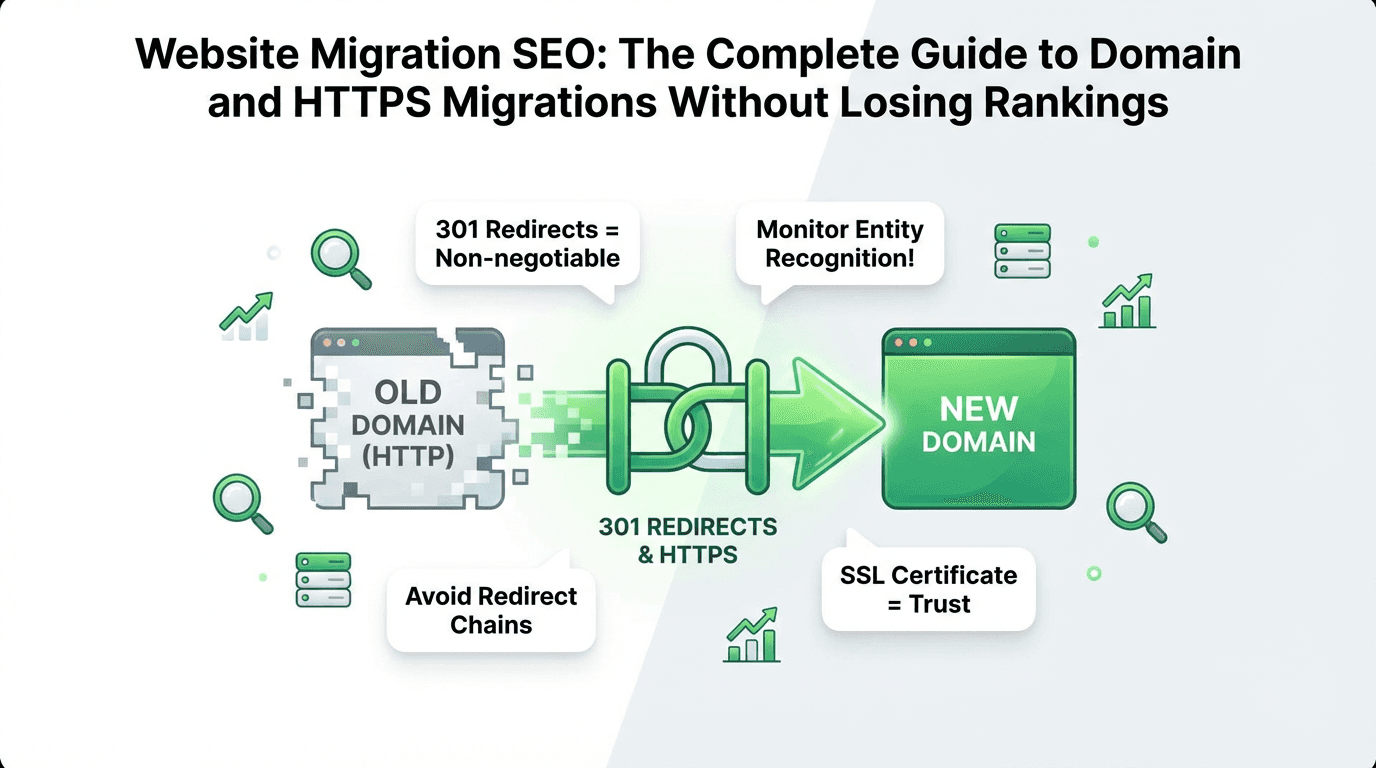
Moving your website to a new domain or switching from HTTP to HTTPS can feel like performing open-heart surgery on your online presence. One wrong move, and months of SEO work vanish overnight. But here's the truth: with the right website migration strategy, proper 301 redirects, and modern monitoring through Google Search Console, you can preserve—and even improve—your search visibility during the transition.
This comprehensive migration checklist walks you through every step of domain migration SEO, from pre-migration planning to post-migration monitoring, with a special focus on how search engines and large language models are changing the website migration game in 2026.
Why Domain Migration SEO Matters More Than Ever
Traditional search engines like Google have always been sensitive to changes in your site structure. But in the age of search powered by large language models—from ChatGPT to Perplexity to Google's Overviews—the stakes have changed fundamentally.
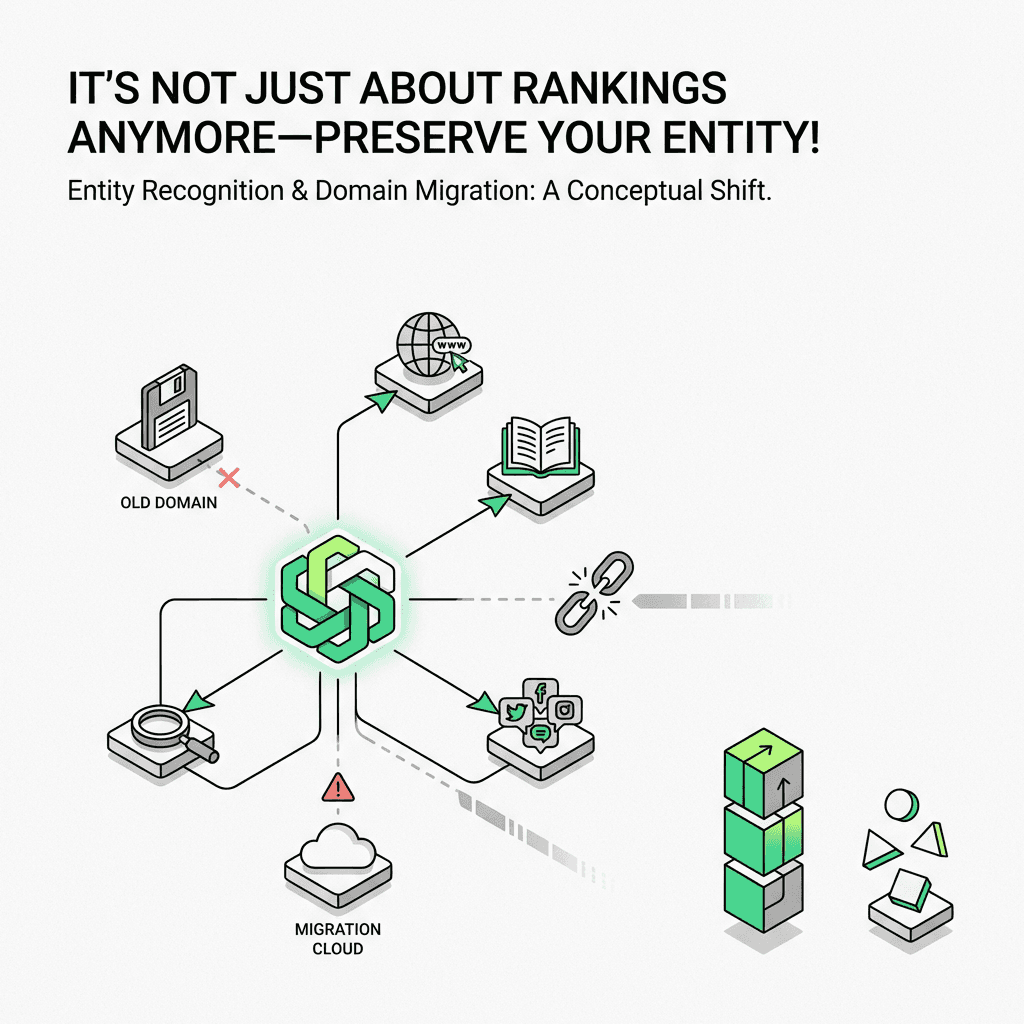
Domain authority isn't just about backlinks anymore. It's about entity recognition.
Large language models associate your company with specific URLs through training data and real-time retrieval. When you change your address, you're not just redirecting link equity—you're potentially breaking the entity associations that these platforms have built around your company. A poorly executed site migration can mean your company temporarily disappears from citations, even if your Google rankings hold steady.
That's why modern website migration service providers now monitor entity signals alongside traditional metrics. The question isn't just "Did my rankings transfer?"—it's "Do these platforms still recognize my company on the new site?"
Understanding the Two Types of SEO Migrations
Before diving into tactics, let's clarify the two most common migration process scenarios and their distinct requirements.
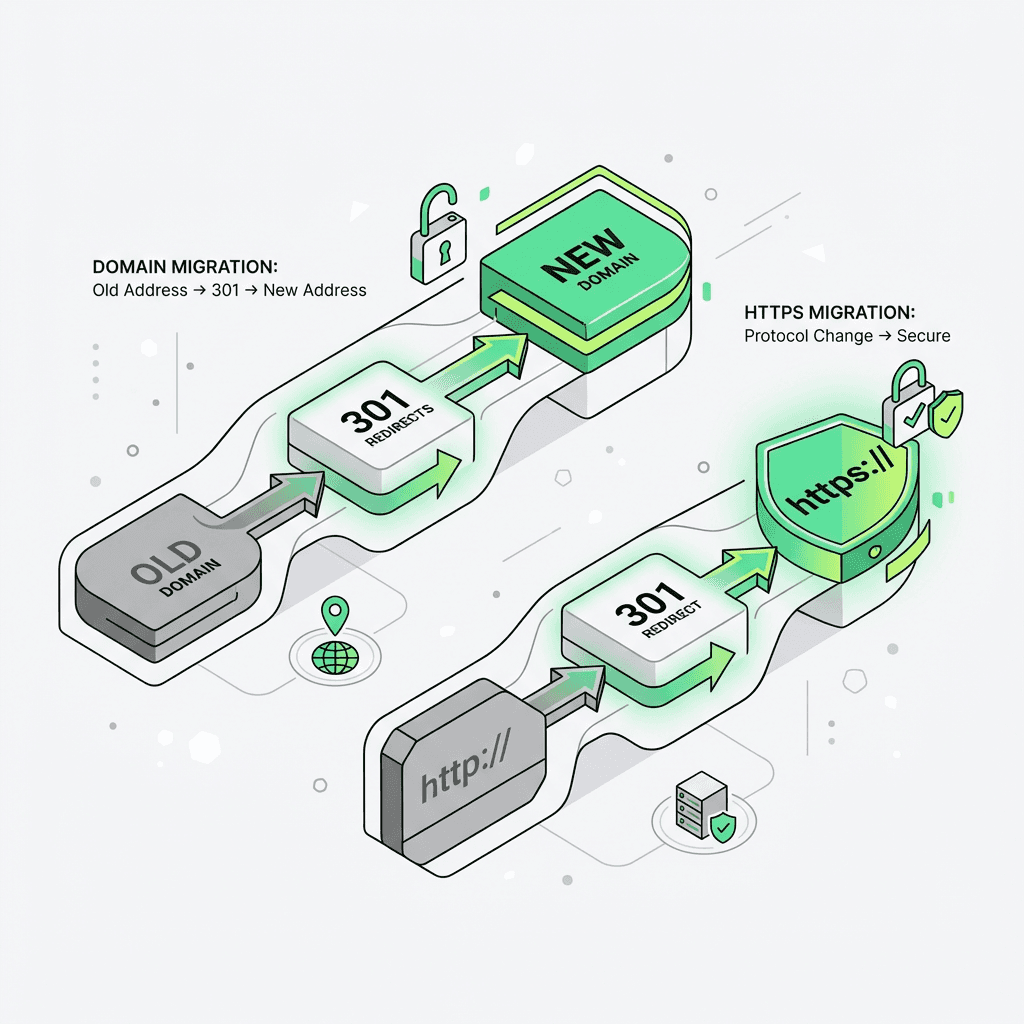
Domain Migration: Moving to a New Address
A domain migration means changing your website's address entirely—for example, moving from `oldcompany.com` to `newbrand.com`. This is the most complex type of site migration because:
You're changing your site's fundamental identity in search engines
All existing backlinks point to the old domain
Google must transfer trust signals to the new domain
Entity associations in language model platforms must be re-established
When you need it: Rebranding, mergers and acquisitions, buying a premium address, or consolidating multiple properties.
HTTPS Migration: Upgrading Your Protocol
An HTTPS migration project involves moving from `http://` to `https://` on the same address. This is technically simpler but still requires careful execution:
The address stays the same
You're adding an SSL certificate for encryption and security
Google treats HTTP and HTTPS as separate URLs
Improper implementation can cause duplicate content issues
When you need it: Securing your site (now a baseline requirement), improving user trust, meeting compliance requirements, or boosting rankings (HTTPS is a confirmed ranking signal).
The Essential Website Migration Checklist
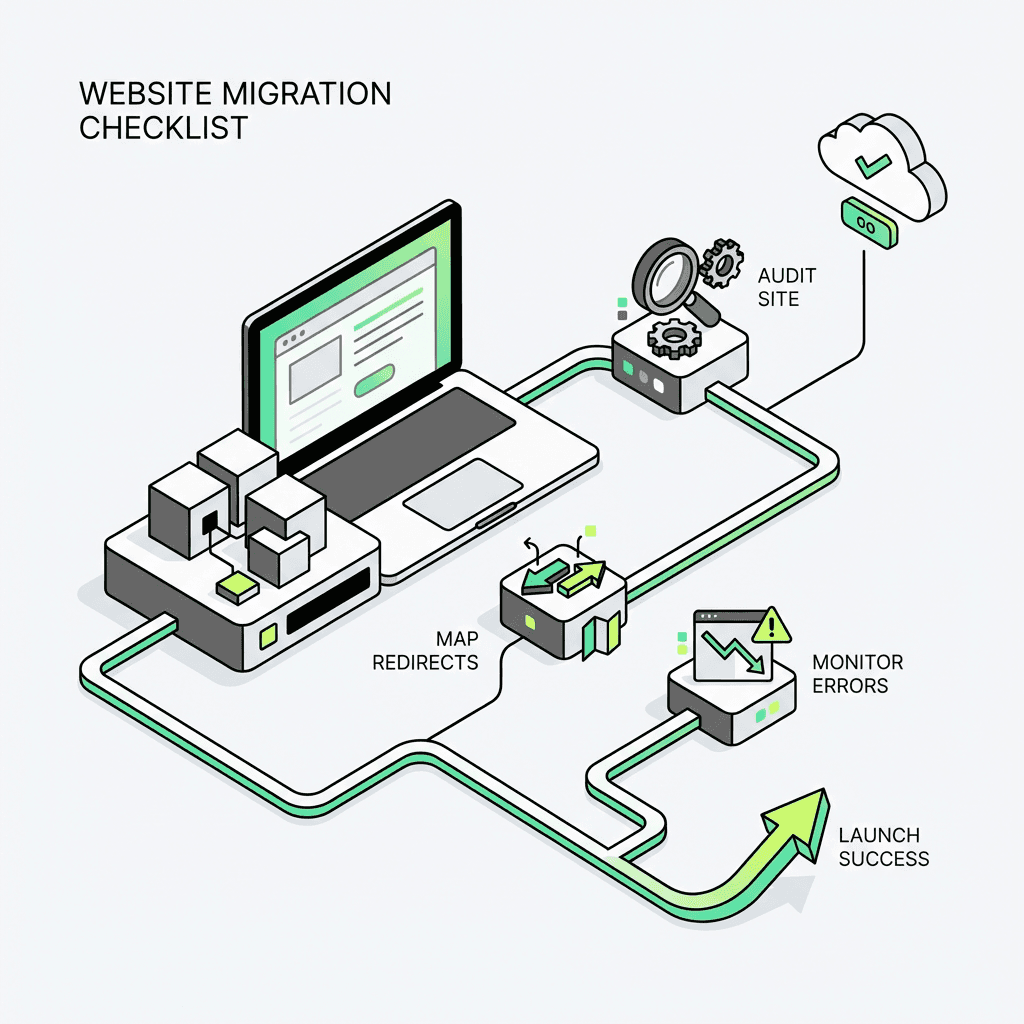
Whether you're changing addresses or protocols, follow this comprehensive website migration checklist to minimize risk and preserve your search visibility.
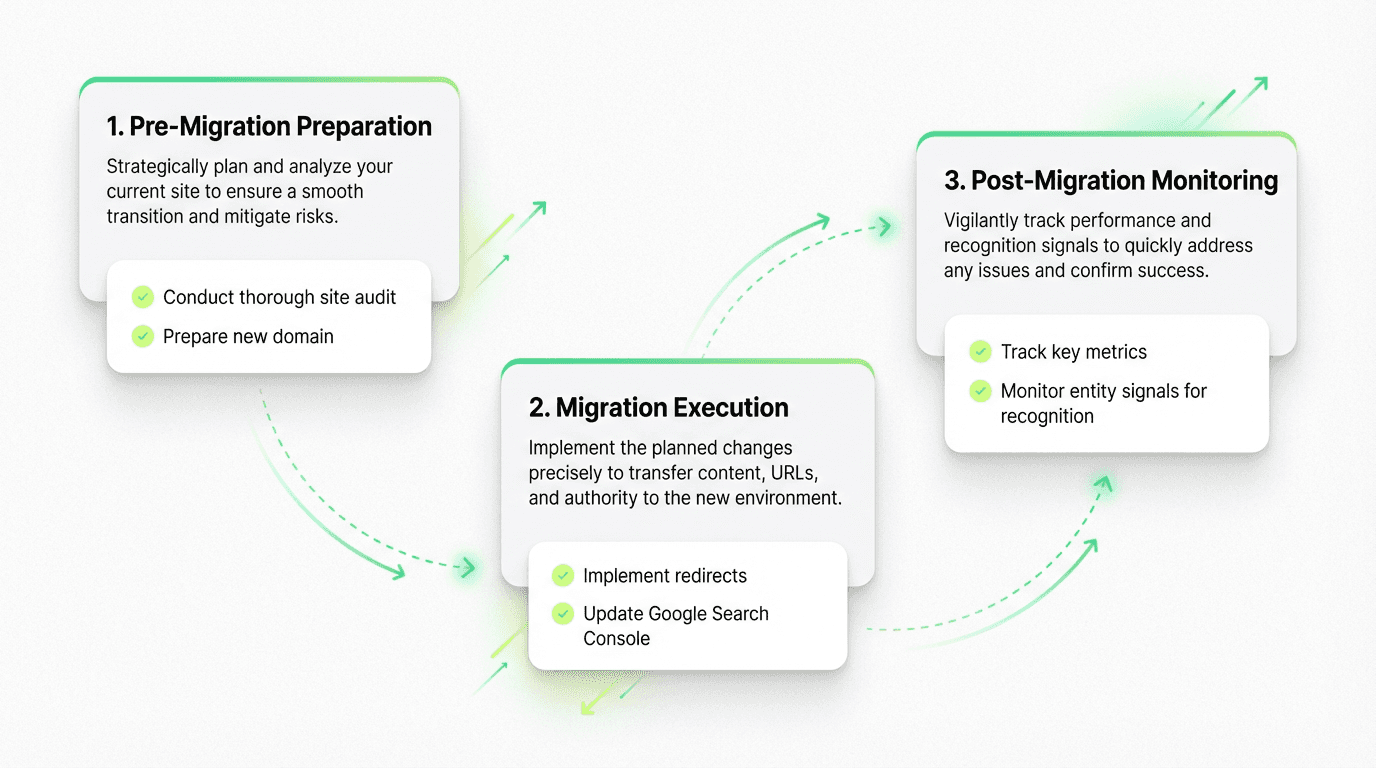
Phase 1: Pre-Migration Preparation (2-4 Weeks Before)
Audit your current site thoroughly:
Document all existing URLs, especially high-traffic pages and landing pages
Export your current backlinks profile using tools like Ahrefs or SEMrush
Identify your most valuable landing pages and conversion paths
Take screenshots of current rankings for target keywords
Export Google Analytics and Search Console data for baseline comparison
Review your robots.txt file and XML sitemap structure
Check canonical tags across all pages
Document any hreflang implementations for international versions
Prepare your new environment:
Set up the new domain or HTTPS configuration on a staging server
Install an SSL certificate if moving to HTTPS
Test the new site thoroughly for broken links and functionality
Ensure all internal links use the new address or protocol
Update your XML sitemap to reflect new URLs
Configure your DNS settings in preparation
Verify canonical tags point to correct URLs
Create your redirect mapping:
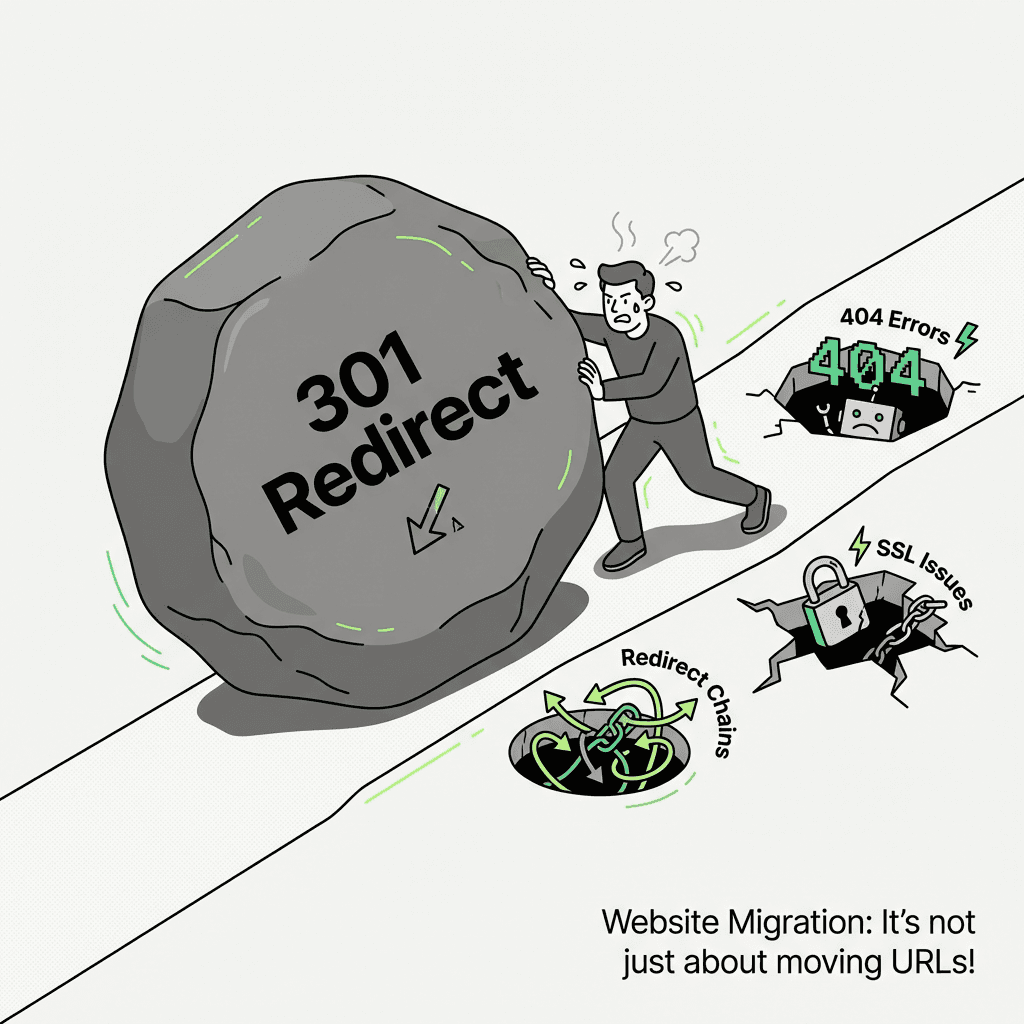
This is the most critical step in your migration plan. Every old site URL must have a corresponding 301 redirect to the new location. Use 301 redirects, not 302 redirect (temporary) versions.
For large sites with thousands of pages, automate this migration process with scripts or tools, but manually verify your most important pages to avoid 404 errors and redirect chains.
Phase 2: Migration Execution (Launch Day)
Implement redirects first:
Before making any DNS changes or switching live, ensure all redirects are properly configured at the server level. Use .htaccess for Apache servers or server block configuration for Nginx.
Example .htaccess redirect for full domain migration:
Example for HTTP to HTTPS migration:
Update Google Search Console:
For domain migration (not HTTPS-only migrations), use Google's Change of Address tool:
Verify ownership of both old domain and new domain in Search Console
Navigate to the old site property
Find the "Change of Address" option under Settings
Select your new domain from the dropdown
Submit the change
Critical distinction: Only use the Change of Address tool when changing addresses. Do NOT use it for HTTP→HTTPS migrations on the same address—Google handles protocol changes automatically through redirects and updated sitemaps.
Update your XML sitemap and robots.txt:
Submit your new sitemap to Google Search Console
Ensure robots.txt on the new site allows crawling
Remove any staging environment blocking directives
Verify proper indexation settings
Phase 3: Post-Migration Monitoring (First 90 Days)
The weeks following your migration strategy execution are critical. Most issues surface within the first month, but full signal transfer can take 3-6 months according to your migration timeline.
Monitor these key metrics daily for the first week:
Crawl errors in Google Search Console
404 errors and redirect chains
Organic traffic levels in Google Analytics
Rankings for your top 20 keywords
Page load speed and Core Web Vitals
Indexation status (use `site:` operator)
SSL certificate functionality
Week 2-4 monitoring:
Backlinks recognition (are authoritative sites being crawled and passing link equity?)
Conversion rate changes (sometimes user trust drops temporarily with address changes)
International versions if you have hreflang implementations
Mobile vs. desktop performance differences
Search engine crawl frequency
Canonical tags recognition
Month 2-3 monitoring:
Long-tail keyword recovery
Featured snippet retention
Search visibility across platforms
Overall domain authority metrics
Post-migration performance stabilization
Common Domain Migration Pitfalls and How to Avoid Them
Even experienced professionals make these mistakes during website migration. Here's how to sidestep the most damaging errors:
Pitfall #1: Redirect Chains and Loops
A redirect chain occurs when URL A redirects to URL B, which redirects to URL C. Each step dilutes link equity and slows page load times.
Solution: Always redirect directly to the final destination URL. Audit your redirects with tools like Screaming Frog to identify chains.
Pitfall #2: Forgetting About Internal Links
Many migrations implement external redirects but forget to update internal links, forcing every page load through a redirect.
Solution: Update all internal links to point directly to new URLs. Your site should function perfectly even if all redirects were removed.
Pitfall #3: Blocking the Old Domain Too Soon
Some teams immediately remove the old site or block it in robots.txt after the migration process.
Solution: Keep the old domain active with redirects for at least 6-12 months. Search engines need time to discover and process all redirects, especially for less frequently crawled pages.
Pitfall #4: Misusing the Change of Address Tool
Using Change of Address for HTTPS migrations or submitting it before redirects are in place can confuse Google.
Solution: Only use Change of Address for actual address changes, and only after all redirects are tested and working perfectly.
Pitfall #5: Ignoring Canonicalization
Without proper canonical tags, you can end up with duplicate content issues during the transition period.
Solution: Ensure all pages on the new site have self-referencing canonical tags pointing to the new URLs, not the old site versions.
Pitfall #6: SSL Certificate Issues
Failing to properly configure your SSL certificate can create trust warnings and crawl errors.
Solution: Test your SSL implementation thoroughly before launch, ensure the certificate covers all necessary subdomains, and monitor for mixed content warnings where HTTP resources load on HTTPS pages.
How Entity Recognition Changes Domain Migration
Here's where entity recognition fundamentally changes the migration checklist playbook.
Traditional SEO focused on transferring PageRank through redirects and maintaining keyword rankings. But large language models build knowledge graphs that associate entities (your company) with specific addresses.
When you change addresses during domain migration, several things happen:
Entity-domain associations weaken: If training data and retrieval have learned that "Acme Software" lives at `acme-software.com`, suddenly seeing the same content at `acme.com` can create temporary confusion. The model might not immediately recognize that these represent the same entity.
Citation patterns shift: During website migration, you might notice your company appearing less frequently in generated answers, even if your Google rankings hold steady.
Brand mentions become disconnected: If your old domain appears in training data, blog posts, and citations across the web, but your new domain doesn't yet have that association density, these platforms may struggle to connect them.
Monitoring Entity Recognition Post-Migration
Traditional automation tools weren't built for this new reality. They track rankings and traffic, but they don't monitor whether these platforms still recognize your company.
This is where modern marketing agents become invaluable. An agent can:
Query multiple platforms with company-related questions
Track whether your new domain appears in citations
Monitor if platforms correctly associate your company with your new site
Alert you when citation patterns shift or entity recognition degrades
Compare entity signal strength in your pre-migration baseline versus post-migration results
Metaflow represents an advanced approach to this challenge. As an ai marketing automation platform and no-code agent builder, Metaflow allows growth teams to design custom agents that monitor entity-recognition signals across multiple platforms—without writing code or managing complex integrations.
Unlike fragmented automation stacks that require stitching together multiple tools, Metaflow provides a unified workspace where you can ideate monitoring strategies, test them in real-time, and then codify successful approaches into durable workflows. For domain migration specifically, you might build an agent that:
Runs daily queries across search platforms
Extracts citations from results
Compares citation frequency to pre-migration baselines
Flags anomalies when your new domain isn't being surfaced
Generates weekly entity-health reports
This level of monitoring was previously impossible with traditional tools, but it's essential in a modern search landscape.
HTTPS Migration SEO: The Simpler (But Still Critical) Scenario
If you're only moving from HTTP to HTTPS on the same address, your migration process is significantly simpler—but still requires attention to detail in your migration checklist.
Key Differences for HTTPS-Only Migrations
What's the same:
You still need 301 redirects from HTTP to HTTPS versions
Update internal links to use HTTPS
Submit new sitemap with HTTPS URLs
Monitor Search Console for crawl errors
Check for 404 errors and redirect chains
What's different:
Do NOT use the Change of Address tool
Entity associations remain intact (same address)
Google treats this as a URL change, not an address change
Recovery is typically faster (2-4 weeks vs. 2-3 months)
HTTPS Migration Quick Checklist
Install SSL certificate on your server (Let's Encrypt offers free certificates)
Test HTTPS access on staging before going live
Implement 301 redirects from all HTTP URLs to HTTPS equivalents using RewriteEngine, RewriteCond, and RewriteRule directives
Update internal links to use HTTPS (or use protocol-relative URLs)
Update external resources (CDN links, embedded content) to HTTPS
Fix mixed content warnings (HTTP resources loaded on HTTPS pages)
Update Google Analytics and Search Console properties to track HTTPS version
Submit new XML sitemap with HTTPS URLs
Update hreflang tags if you have international versions
Monitor for redirect loops and SSL certificate errors
Advanced Migration Strategies for Enterprise Sites
Large websites with hundreds of thousands of pages face unique challenges during website migration.
Phased Migration Approach
Instead of moving everything at once, consider migrating in stages according to your migration timeline:
Phase 1: Migrate low-traffic pages and test for issues
Phase 2: Migrate medium-traffic sections
Phase 3: Migrate high-value pages after confirming Phase 1-2 success
This reduces risk but extends the migration timeline. It's ideal for sites where downtime or traffic loss would be catastrophic.
Subdomain vs. Subdirectory Migrations
Moving from subdomains to subdirectories (or vice versa) requires special consideration in your migration strategy:
`blog.company.com` → `company.com/blog/` is treated as a domain migration
Use Change of Address for each subdomain property
Consolidating to subdirectories often improves domain authority concentration
International Site Migrations
Sites with multiple country/language versions must maintain hreflang annotations:
Update all hreflang tags to reference new URLs
Test that language/region targeting remains correct
Monitor Search Console for each international property separately
Ensure canonical tags and hreflang work together correctly
Measuring Migration Success: Beyond Rankings
How do you know if your website migration succeeded? Look beyond just keyword rankings.
Success Metrics at 30 Days
Indexation rate: 80%+ of new URLs indexed
Organic traffic: 90%+ of pre-migration levels
Crawl errors: Declining trend, under 5% of total pages
Top 10 keywords: 85%+ maintained or improved positions
Conversion rate: Returned to baseline (may dip temporarily)
Backlinks being recognized and passing link equity
Success Metrics at 90 Days
Organic traffic: 95-105% of pre-migration levels
All keyword segments: Full recovery including long-tail
Backlinks recognition: Authoritative sites crawled and passing equity
Citation frequency: Returned to or exceeding pre-migration levels
Domain authority metrics: Stable or improving
All pages properly indexed in Google
Red Flags That Require Immediate Action
Organic traffic down more than 30% after two weeks
Large numbers of 404 errors or redirect chains
Indexation stalled below 50% after one month
Core keywords dropped out of top 10
Your new domain not appearing in search results for queries
SSL certificate errors or warnings
Canonical tags pointing to wrong URLs
If you see these signals, audit your redirect implementation immediately using your migration checklist and consider rolling back if critical issues can't be resolved quickly.
The Future of Domain Migration: Advanced Monitoring
As search continues to evolve toward generated answers and away from traditional blue links, migration strategy must evolve.
The next generation of ai workflow automation for growth tools won't just track rankings—they'll monitor entity signals, citation patterns, and recognition across multiple platforms. They'll use natural language agents to continuously test how search engines understand your company and address relationship.
This is the future Metaflow is building: an automation platform where growth teams can design sophisticated monitoring agents without engineering resources. Instead of rigid connectors and fragmented workflows, Metaflow provides a natural language agent builder that lets you describe what you want to monitor, test the approach, and then scale it into production.
For domain migration specifically, this means you can build monitoring that was previously only available to enterprise companies with dedicated engineering teams—democratizing access to intelligence for your website migration checklist.
Final Recommendations: Your Migration Action Plan
Whether you're planning a full domain migration or a simple HTTPS upgrade, follow this roadmap:
4 weeks before: Complete your website migration checklist—audit current site, prepare new environment, create redirect mapping, review robots.txt and sitemap files
2 weeks before: Test everything on staging, verify redirects work correctly, prepare monitoring dashboards, check SSL certificate installation
Launch day: Implement redirects using RewriteEngine, RewriteCond, and RewriteRule, update Search Console, submit new sitemap, begin intensive monitoring
First week: Daily checks of crawl errors, traffic, and core rankings, monitor for 404 errors and redirect chains
First month: Weekly deep dives into indexation, backlinks recognition, and conversion metrics, review Google Search Console data
Months 2-3: Monitor entity signals and search visibility, ensure full recovery, track post-migration performance
Ongoing: Maintain redirects for 12+ months, continue monitoring for long-tail keyword recovery, track link equity transfer
Remember: domain migration SEO isn't just about preserving rankings anymore. It's about maintaining your company's entity associations in a modern search ecosystem. The teams that succeed are those who monitor both traditional signals and modern entity-recognition patterns using a comprehensive migration checklist.
With proper planning in your migration plan, correct tooling, and AI-powered marketing automation, your website migration can be more than just a preservation exercise—it can be an opportunity to strengthen your presence across both traditional and modern search channels.