




This guide shows you how to connect Claude Code → Google Ads using the official MCP server from GitHub — so you can query campaigns, pull reports, and analyze performance using plain English.
No wrappers. No vendors. Just the real setup.
Marketing teams are drowning in data. Between campaign optimizations, performance audits, keyword research, and budget tracking, the modern growth marketer spends more time wrestling with spreadsheets than crafting strategy. But what if you could delegate the tedious parts to an AI agent that actually does the work—not just suggests it?
That's exactly what happens when you connect Claude Code application to your advertising platform using the Model Context Protocol. This integration transforms Claude from a conversational AI into an execution engine that can analyze campaigns, generate ad copy, identify budget leaks, and automate reporting—all through natural language commands with the power of AI workflows for marketing.
In this tutorial, you'll learn everything you need to know about this powerful integration: what the technology stack is, three different setup methods (from beginner-friendly to advanced), real automation use cases with prompts you can copy-paste, and troubleshooting tips for common errors.
What You'll Learn
By the end of this getting started guide, you'll be able to:
Understand what Claude Code and the protocol are (and why they matter for automation)
Choose from 3 setup methods based on your technical comfort level
Configure the Claude AI workflow that fits your needs
Automate 10+ advertising tasks with ready-to-use prompts
Troubleshoot common connection errors and integration issues
Scale your operations without adding headcount
Whether you're a solo growth marketer, an agency managing multiple accounts, or part of an enterprise team, this setup guide will reclaim hours of your week using an AI marketing automation platform.
What You’re Actually Building
You’re wiring this:
Understanding the Technology Stack
Before we dive into setup, let's clarify what we're actually connecting and why it matters. This framework combines multiple technologies to create a powerful automation solution.
What is Claude Code?
Claude Code (also known as the Anthropic desktop app with CLI access) is an AI agent that goes beyond conversation. Unlike the web-based Claude.ai interface or ChatGPT's browser version, this application can:
Execute code in Python, JavaScript, TypeScript, and other languages
Access your local files to read data, analyze CSVs, or generate reports
Run terminal commands via bash, shell script, PowerShell, or command prompt to automate workflows
Connect to external services through protocol servers
For marketers, this means the tool can pull live campaign data, analyze it using Python scripts, identify optimization opportunities, and even draft performance reports—all from a single prompt, leveraging the capabilities of AI agents for marketing.
Think of it as having an analyst who never sleeps, never makes copy-paste errors, and processes data at machine speed—similar to how OpenAI's advanced models work, but with deeper system integration.
What is the Model Context Protocol?
The Model Context Protocol is the bridge technology that connects Claude Code to external tools like advertising platforms. Developed by Anthropic in late 2024, this protocol standardizes how AI agents communicate with third-party applications through a unified framework.
Here's how the architecture works:
Without this protocol, you'd need to write custom integration code every time you wanted Claude to interact with a new tool. With the standardized framework, the heavy lifting is handled by pre-built servers that speak both "Claude language" and platform-specific protocols. This enables seamless AI workflow automation.
The protocol supports multiple deployment options including localhost development, serverless functions, Docker containers, Kubernetes orchestration, and cloud platform deployments on AWS, Azure, or GCP infrastructure.
Why Connect Your Advertising Platform to Claude Code?
Manual campaign management is a cognitive tax. The average PPC manager spends:
4-6 hours per week on performance reporting
3-5 hours analyzing keyword performance and quality scores
2-4 hours generating ad copy variations
1-3 hours troubleshooting budget pacing issues
That's up to 18 hours per week on tasks that are important but intellectually repetitive.
When you connect your advertising account to Claude Code via the protocol, you automate the execution layer while keeping the strategic layer human. According to 2026 industry research, teams using AI powered automation report:
300% ROI on time invested in setup
40-60% reduction in manual reporting time
25% improvement in campaign ROAS through faster optimization cycles
The key insight: you're not replacing marketers—you're freeing them from the work that doesn't require human creativity. This is similar to how ChatGPT and other LLMs assist with content creation, but with actual execution capabilities.
Prerequisites: What You Need Before Starting
Before you can set up the integration, gather these accounts and credentials. This installation guide assumes basic technical familiarity.
Required Accounts & Access
Claude Pro or Claude API Access
- Claude Pro ($20/month) includes the desktop app
- Alternatively, use the Anthropic API with CLI setup (pay-per-token pricing)
Advertising Account with API Access
- You must have admin access to the account
- Account must meet minimum spend requirements (typically $50+ lifetime spend)
- Apply for a Developer Token at the platform's developer portal
MCP Server Provider: - Google Ads MCP GitHub repository (full control, advanced users)
Technical Requirements
Operating systems: macOS, Linux, Ubuntu, or Windows with WSL/WSL2
Node.js: Version 18 or higher (download here) - check your package.json dependencies
Python: Version 3.8+ (required for Composio method)
Command line knowledge: Basic familiarity with terminal, bash, or PowerShell helpful but not required for Windsor method
Git: For version control and cloning the repository if using the GitHub method
API Credentials Checklist
To authenticate the platform connection, you'll need:
Developer Token (apply through the platform's developer center)
OAuth Client ID and Secret (create in Google Cloud Console)
Refresh Token (generated during first authentication)
Security Best Practice: Store credentials using environment variables in a `.env` configuration file, never commit them to your git repository. Use this template format:
Add `.env` to your `.gitignore` file to prevent accidental credential exposure in your commit history—a standard step in any secure ai workspace following best practices.
Step 0 — What is the Google Ads MCP Server?
The
is an open-source server that lets LLMs talk to the Google Ads API.
It exposes “tools” Claude can use:
Fetch accounts
Query campaigns
Analyze performance
Run GAQL queries
Think of it as a translator between Claude and Google Ads.
Step 1 — Prerequisites (Don’t Skip This)
You need:
1. Google Ads API access
Developer token (from Ads → Tools → API Center)
Google Cloud project
OAuth credentials (client ID + secret)
2. Local setup
Python 3.10+
pipx installed
Claude Code app installed
Step 2 — Get Your Credentials Ready
You need one of these:
Option A (Recommended):
google-ads.yaml
This is the standard config file used by Google Ads API.
Step 3 — Run the MCP Server (No Cloning Needed)
This is the cleanest part.
Claude doesn’t need you to run a backend manually — it can spawn the MCP server using pipx.
Add this config:
This does 3 things:
Pulls the repo from GitHub
Runs the MCP server
Injects your credentials
Step 4 — Add It to Claude Code
In Claude Code:
Open Settings
Go to MCP Servers
Paste the config above
Save
Now restart Claude Code.
Step 5 — Verify It’s Working
In Claude Code, type:
or
then try:
If it works, you’re connected.
Step 6 — Your First Real Queries
Now this gets interesting.
1. Campaign overview
2. Performance analysis
3. Keyword-level insights
4. Budget debugging
Under the hood, Claude is:
Writing GAQL queries
Calling the MCP server
Parsing results
Explaining insights
Step 7 — How This Actually Works (Mental Model)
MCP uses a standard protocol where:
Claude decides which “tool” to call
MCP server executes Google Ads API requests
Results come back as structured data (JSON)
Claude explains it
This is why it feels like “Claude is doing the work.”
What You Can Build With This
Once this is set up, you can ask:
“How many active campaigns do I have?”
“Show me spend vs conversions last 7 days”
“Which campaigns have highest CPA?”
If you want more ideas for using Claude Code to speed up day-to-day PPC work, check out Claude Code for Paid Ads: Become a 10X Performance Marketer for additional prompts, workflows, and practical examples you can apply right away. For the full picture of claude skills for sales and marketing, see how Google Ads, Meta, SEO, and content skills fit into one operating model.
Skip the Setup — Use Metaflow AI Instead
Connecting Claude Code to Google Ads via MCP is powerful, but it requires technical setup, credential management, and ongoing maintenance. What if you didn't have to build any of this yourself?
Metaflow AI is the AI marketing automation platform designed from the ground up to help marketers do more with agents — no MCP configuration, no code, no DevOps.
With Metaflow AI you get:
Pre-built AI agents for Google Ads, SEO, content, and outbound — ready to deploy in minutes
100+ integrations with the marketing tools you already use
No-code workflow builder so you can orchestrate multi-step campaigns without writing a single line of code
Enterprise-grade security with built-in credential management and access controls
Whether you followed this tutorial or decided the DIY route isn't for you, Metaflow AI gives you the same capabilities — and more — out of the box.
👉 Get started with Metaflow AI and reclaim your week.
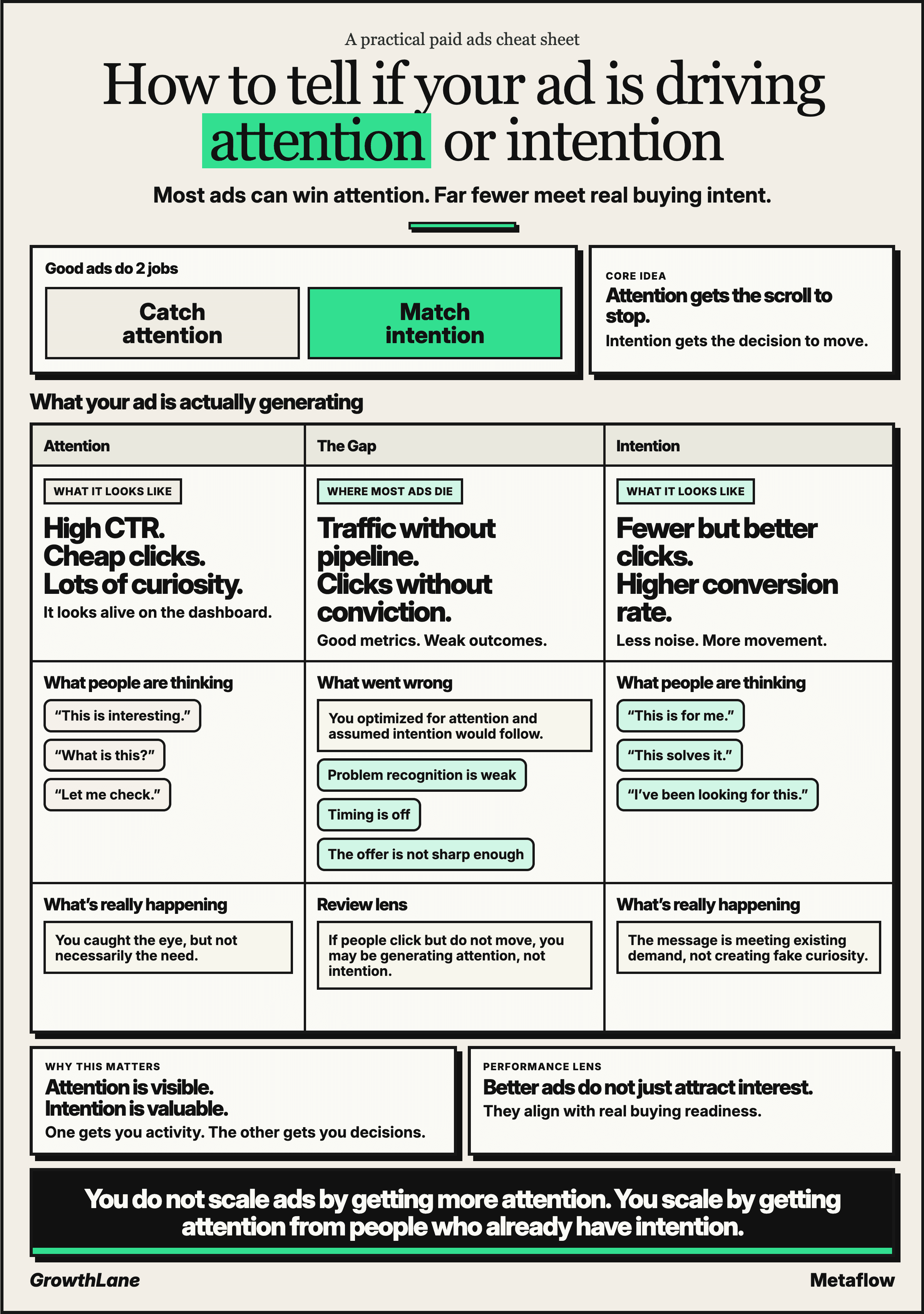
BONUS - Infographic for Ad Copywriting