







TL;DR: Key Takeaways
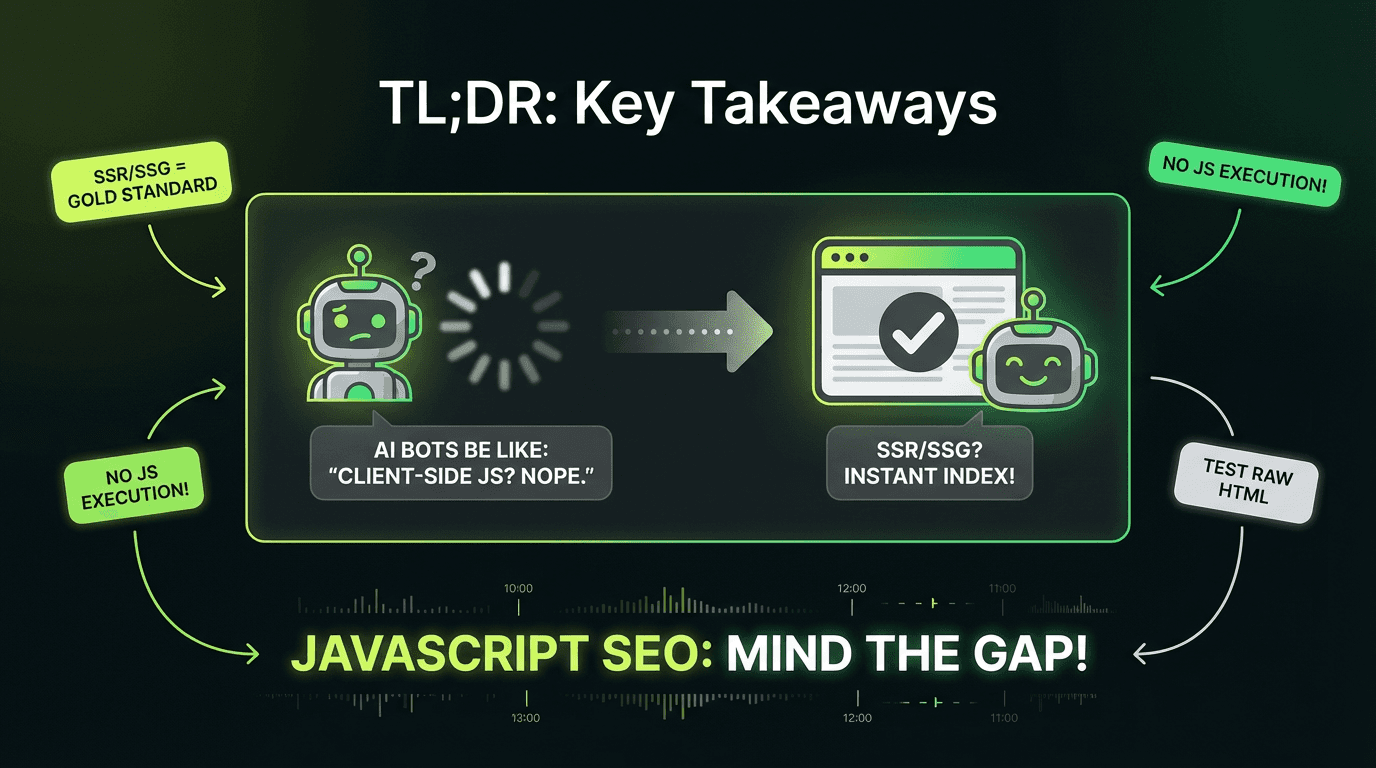
JavaScript creates challenges because crawlers must execute your code to see content, creating indexing delays and visibility issues—especially for AI bots that don't run client-side scripts at all.
AI bots (GPTBot, Claude-Web, PerplexityBot) don't execute JavaScript—they read initial HTML only. Client-side rendered content is invisible to AI-powered search and answer engines.
Server-Side Rendering (SSR) and Static Site Generation (SSG) are the gold standard for JavaScript SEO best practices, ensuring critical content, navigation structure, and structured data exist in initial HTML responses.
Common anti-patterns that kill rankings: navigation links only in client-side code, content loaded after page mount, lazy-loaded images without `src` attributes, and using URL fragments for routing.
Dynamic rendering is a brittle workaround, not a long-term solution—Google explicitly recommends SSR/SSG instead, and dynamic rendering doesn't solve the AI bot problem.
Test your rendered HTML systematically using Google Search Console's URL Inspection Tool, Chrome DevTools with browser JavaScript disabled, and by comparing raw HTML (`curl`) against rendered output.
Modern frameworks make SSR/SSG accessible: Next JS, Nuxt, SvelteKit, and Remix provide built-in SSR capabilities; Gatsby and 11ty excel at SSG for content-heavy websites.
Automated rendering audits (like those built with Metaflow agents) can compare raw vs. rendered HTML at scale, flag content that only appears post-execution, and score pages for AI-crawler readability—ensuring continuous optimization as your site evolves.
JavaScript powers the modern web, but it's also one of the most misunderstood aspects of technical SEO. If you're building single-page applications (SPAs) with React, Vue, or Angular—or using any JavaScript framework—you need to understand how search engines process your code. More importantly, you need to know how AI crawlers from ChatGPT, Perplexity, and other LLM systems read your website content.
Here's the reality: most AI bots don't execute JavaScript. They read the initial HTML response and move on. That beautifully crafted React component rendering your hero content? Invisible to GPTBot. That dynamic product grid loading via fetch? Missing from Claude's training data.
This isn't just a Google problem anymore. It's an Answer Engine Optimization (AEO) imperative. In this comprehensive tutorial, you'll learn how to diagnose JavaScript issues for search engine optimization, choose the right rendering strategy, and ensure your content is visible to both traditional search engines and the next generation of AI-powered discovery systems.
Understanding How Google Processes JavaScript Content
Before diving into solutions, you need to understand the three-phase process Google uses to handle sites built with JavaScript frameworks.

The Three Phases of Google's Rendering Process
Phase 1: Crawling
Googlebot fetches your URL and reads the initial HTML response. If your robots.txt blocks the URL, the process stops here. During this phase, the crawler extracts links from `` attributes in the HTML and adds them to the crawl queue for discovery.
Common JavaScript SEO Issues: Anti-Patterns That Kill Visibility
Anti-Pattern #1: Links Not in Initial HTML
In the initial HTML, Googlebot sees an empty `
` element. No links. No discovery. Your entire site architecture is invisible until the code executes.
The Fix: Ensure critical navigation exists in the initial HTML response:
Anti-Pattern #2: Content Hidden Behind Client-Side Rendering
The Problem: Your hero section, product descriptions, or blog content loads after the page mount:
The initial HTML contains only "Loading..." Google might render it eventually, but AI bots like GPTBot won't wait around. This affects how users and search engines experience your site.
The Fix: Pre-render critical content on the server:
Anti-Pattern #3: Lazy-Loaded Images Without Proper Attributes
Images loaded entirely through client-side rendering—without `src` or `data-src` attributes in the initial HTML—are invisible to crawlers and bots:
Even with lazy loading, include the `src` attribute in your HTML. Modern browsers handle the `loading="lazy"` attribute natively, and crawlers can discover the image immediately for proper indexing.
Choosing Your Rendering Strategy: SSR, SSG, or Dynamic Rendering?
Not all rendering strategies are created equal. Here's how to choose the right approach for your technical SEO needs, especially if you're using an ai marketing automation platform.

Server-Side Rendering (SSR): The Gold Standard
What it is: Your server generates complete HTML for each request. When Googlebot (or any crawler) requests a page, they receive fully-rendered content immediately—no waiting for client-side execution.
Pros:
Fast First Contentful Paint (FCP)
Immediate content visibility for all crawlers and bots
Lower Total Blocking Time (TBT) and better Interaction to Next Paint (INP)
Works for all search engines, including AI systems that don't execute client-side code
Cons:
Higher Time to First Byte (TTFB) due to server processing
Server compute costs
More complex infrastructure
Best for: E-commerce websites, content platforms, SaaS marketing pages—anywhere search engine visibility is critical and content changes frequently.
Implementation: Modern JavaScript frameworks make SSR straightforward:
Next.js: `getServerSideProps()`
Nuxt: `asyncData()` or `fetch()`
SvelteKit: `load()` functions
Angular Universal: Platform-server rendering
Static Site Generation (SSG): Maximum Performance
What it is: HTML is generated at build time, not per request. Every page is pre-rendered as static HTML files that can be served instantly.
Pros:
Fastest possible TTFB (serving static files)
Excellent FCP and INP for users
Can deploy to CDNs globally
Zero server processing per request
Perfect for AI crawler visibility and search engine indexing
Cons:
Must rebuild for content updates
Challenging for websites with thousands of unique URLs
Not suitable for personalized or real-time data
Best for: Blogs, documentation sites, marketing pages, portfolios—content that doesn't change with every request.
Implementation:
Next JS: `getStaticProps()` + `getStaticPaths()`
Gatsby: Built-in SSG architecture
11ty, Hugo, Jekyll: Pure static site generators
Client-Side Rendering (CSR): Use With Caution
What it is: The server sends a minimal HTML shell. The JavaScript bundle downloads, executes, and renders all content in the browser.
Pros:
Rich, app-like interactivity for users
Reduced server load
Easier initial development
Cons:
Poor FCP and search engine optimization performance
Invisible to AI bots
High bundle sizes increase TBT
Depends entirely on Google's rendering queue
Best for: Authenticated dashboards, internal tools, web applications where search visibility isn't a priority.
Reality Check: If your public-facing content uses pure client-side rendering, you're fighting an uphill battle. Google might eventually render and index it, but you're invisible to the growing ecosystem of AI-powered search and answer engines.
Dynamic Rendering: A Workaround, Not a Solution
Dynamic rendering detects crawler user-agents and serves them pre-rendered HTML while serving client-side applications to regular users and browsers.
Why Google doesn't recommend it:
Requires maintaining two rendering paths
User-agent detection is brittle and can break
Adds infrastructure complexity
Considered "cloaking-adjacent" if implementations diverge
Doesn't solve the AI bot problem (new bots appear constantly)
Google's official stance: Dynamic rendering is a workaround for legacy systems, not a long-term strategy. If you're building something new, choose SSR or SSG from the start.
Best Practices for JavaScript SEO: Tactical Implementation Steps
Beyond choosing a rendering strategy, follow these tactical steps to ensure crawlability and proper indexing.
1. Validate Your Rendered HTML
Don't assume your code is executing correctly for search engines. Test it systematically:
Using Google Search Console:
Navigate to URL Inspection Tool
Enter your URL
Click "Test Live URL"
View "Crawled Page" to see exactly what Googlebot rendered
Using Chrome DevTools:
Disable JavaScript in DevTools settings
Reload your page
What you see is what non-JS crawlers and bots see
Automated Testing:
2. Fix Lazy-Load Issues Systematically
Lazy loading improves performance but can hide content from crawlers if implemented incorrectly on your pages.
Best practices:
Always include `src` attribute in initial HTML
Use native `loading="lazy"` instead of client-side libraries
Ensure above-the-fold images and content load immediately
Test with browser JavaScript disabled
Lazy-load implementation that works for search engines:
3. Implement Proper History API Usage
For single-page applications, never use URL fragments (`#/page`) for routing. Google explicitly states this is unreliable for crawling.
Anti-pattern:
Correct approach:
4. Handle Soft 404s in Single-Page Apps
When a user navigates to a non-existent page in your SPA, the server still returns 200 OK. This creates "soft 404" errors—Google indexes error pages as real content on your site.
Solution 1: Redirect to 404 page:
Solution 2: Add noindex meta tag:
5. Optimize Your Bundle for Performance
Even with SSR, excessive JavaScript code hurts performance and search rankings. Large bundles increase TBT and INP, affecting how browsers load your site.
Tactics:
Code-split by route
Defer non-critical scripts
Remove unused dependencies
Use modern build tools (Vite, Turbopack)
Implement differential serving (modern JS for modern browsers, polyfills for old ones)
Measure your performance:
How AI Crawlers Change the JavaScript SEO Game
Here's what most guides won't tell you: the rise of AI-powered search fundamentally changes priorities for JavaScript-based websites.

AI Crawlers Don't Execute JavaScript
Traditional search engines like Google invest heavily in rendering infrastructure. AI bots don't.
Common AI crawler user-agents:
`GPTBot` (OpenAI)
`Claude-Web` (Anthropic)
`PerplexityBot` (Perplexity AI)
`Bytespider` (ByteDance/TikTok)
`Applebot-Extended` (Apple Intelligence)
These bots read your initial HTML response and extract content for training data, answer generation, and citations. If your content requires client-side execution, you're invisible to the AI-powered search ecosystem. That's why many growth marketers are turning to ai powered marketing tools to help ensure their content is accessible in initial HTML.
SSR/SSG Isn't Just a Google Recommendation—It's an AEO Necessity
Answer Engine Optimization (AEO) means optimizing for AI-powered answer engines like ChatGPT, Perplexity, and Google's AI Overviews.
The requirement is simple: Critical content must exist in your initial HTML response.
What this means practically:
Product descriptions → Initial HTML
Blog post content → Initial HTML
Navigation and internal link structure → Initial HTML
Structured data (JSON-LD) → Initial HTML
Meta tags and OpenGraph → Initial HTML
Client-side rendering makes you invisible to this entire ecosystem. SSR and SSG make you discoverable across the web.
The Metaflow Advantage: Automated Rendering Audits
This is where growth teams hit a scaling problem. Manually checking whether content exists in initial HTML vs. rendered HTML across hundreds or thousands of pages isn't feasible.

The solution: Automated rendering audits that compare raw HTML against rendered HTML using specialized tools.
A Metaflow rendering-audit workflow can:
Fetch raw HTML for target URLs (simulating AI bot behavior)
Render pages with a headless browser (simulating Google's rendering)
Compare content between the two states
Flag discrepancies where critical content only appears post-execution
Score pages for "AI-crawler readability"
Generate reports identifying which pages need SSR/SSG implementation
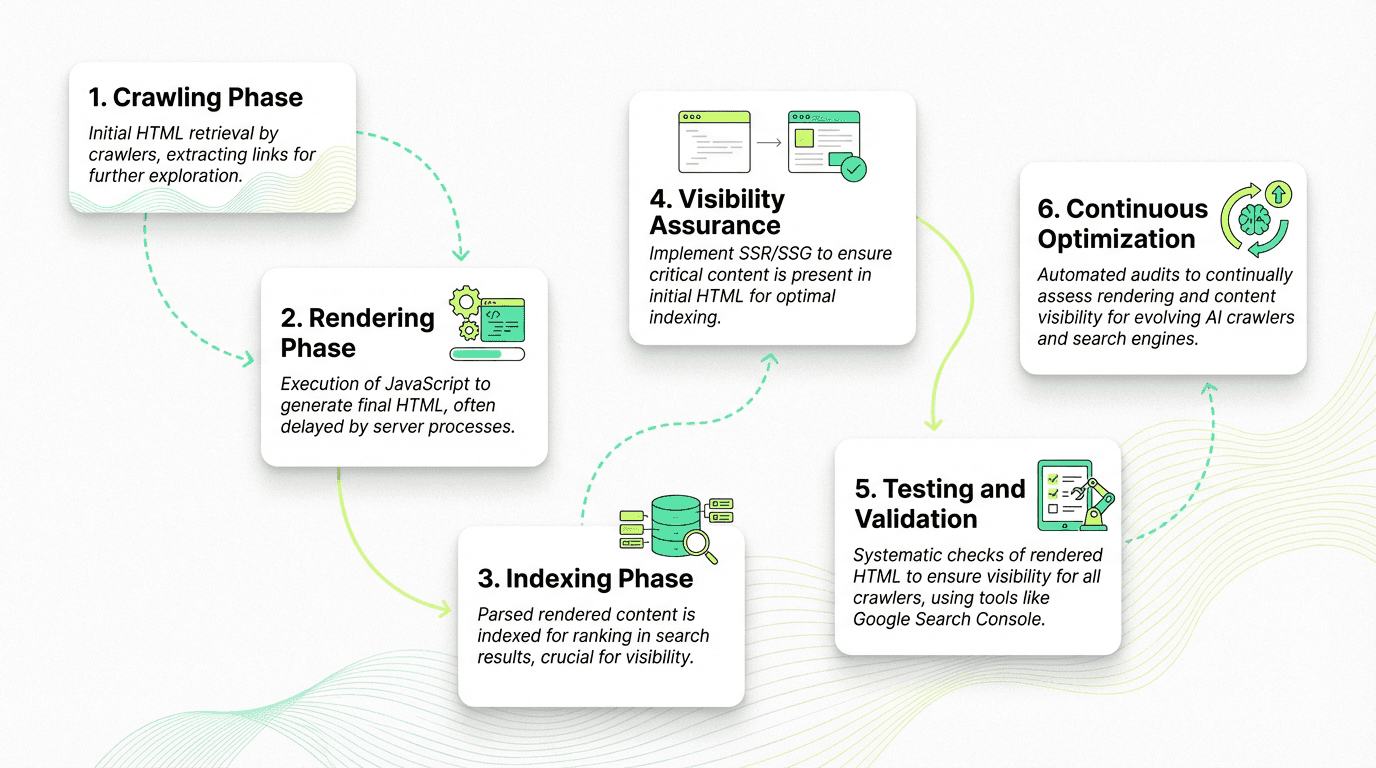
Why this matters: You can't optimize what you can't measure. Traditional tools show you rendered content—what Google eventually sees. They don't show you what AI bots see, or where your rendering strategy creates indexing delays.
Metaflow's no-code ai agent builder lets growth teams design these audit workflows without engineering dependencies. Describe the logic—"compare raw HTML to rendered HTML for H1 tags, navigation structure, and primary content blocks"—and the agent handles execution.
The workflow in practice:
Agent: Rendering Audit
Trigger: Weekly schedule + on-demand
Steps:
Fetch sitemap URLs
For each URL:
Compare and score:
Generate report:
Send Slack alert with top issues
This kind of continuous monitoring ensures your strategy doesn't degrade as your site evolves. New features, framework updates, or developer changes that break SSR get caught immediately—not months later when you notice traffic declines.
Prerendering vs. Hydration: Understanding the Difference
These terms often get confused, but they represent fundamentally different approaches, especially when using an ai workflow builder to automate site deployments.
Prerendering
What it is:
Running your client-side app at build time to capture its initial state as static HTML.
How it works:
A tool like Prerender.io or Rendertron loads your application in a headless browser, waits for it to render, captures the HTML, and serves that to crawlers and search engines.
Limitations:
Still requires JavaScript for interactivity
Build-time only (not suitable for dynamic content)
Essentially SSG for SPA frameworks
Hydration
What it is:
Server renders HTML, sends it to the client, then "hydrates" it by attaching event listeners and application state.
How it works:
Server renders React/Vue components to HTML
Browser receives and displays HTML immediately (fast FCP)
Bundle downloads
Framework "hydrates" the HTML, making it interactive
The tradeoff:
You're essentially running your app twice—once on the server, once on the client. This is called "one application for the price of two."
Modern solutions:
Streaming SSR: Send HTML in chunks as it's generated
Progressive hydration: Hydrate components as they become visible
Partial hydration: Only hydrate interactive components (Islands Architecture)
Resumability: (Qwik framework) Serialize state on server, resume on client without re-execution
Real-World Checklist for JavaScript SEO
Use this checklist to audit your site for search engine and AI crawler visibility:
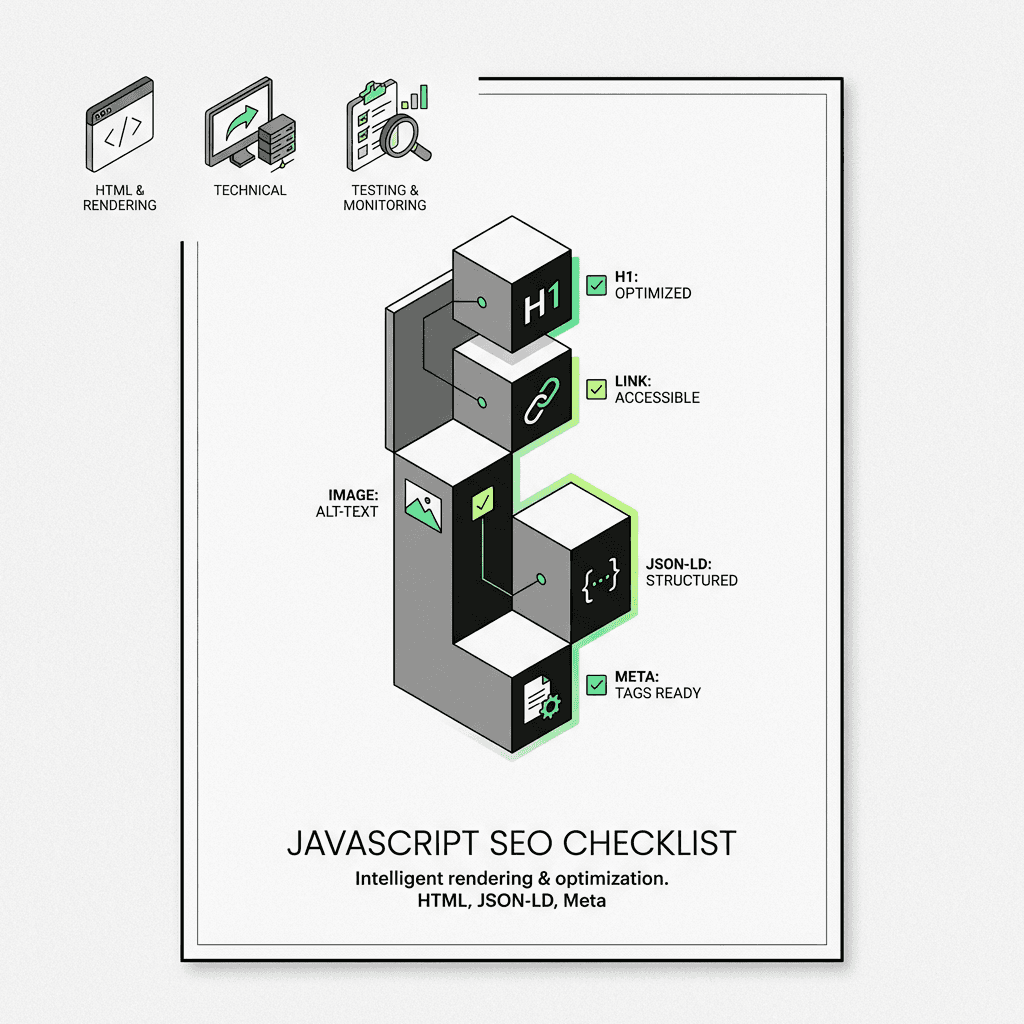
Initial HTML Requirements:
Critical navigation links exist as `` elements
The Future: What's Coming for JavaScript SEO
The landscape continues to evolve rapidly. Here's what to watch:
Modern frameworks increasingly default to SSR/SSG: