






TL;DR:
BigQuery export from Google Analytics 4 unlocks raw, unsampled event data for SEO analysis far beyond the UI—enabling custom attribution, landing page reports, and AI-referred traffic segmentation.
The table schema stores events in daily export tables (`events_YYYYMMDD`) and intraday tables with nested event parameters, traffic_source, and collected_traffic_source fields critical for organic attribution.
Practical standard SQL templates let you build landing page performance reports using the query editor, session-level attribution (traditional vs AI search), and multi-touch conversion models.
AI-search tracking is now essential: Sources like `chatgpt`, `perplexity`, and `gemini` from your data streams are driving 5-12% of organic traffic—the BigQuery export lets you segment and measure their conversion impact.
Validate against the Google Analytics 4 UI by comparing session counts, accounting for timezone (your GCP project timestamp is UTC) and attribution differences in your analytics property.
Metaflow AI offers a natural language agent builder for growth teams, unifying GSC + BigQuery export + AI citation data into automated pipelines—proving ROI for AEO without fragmented scripts or engineering bottlenecks.
Best practices: Use date partitioning with wildcard and table_suffix on sharded tables, create materialized views for recurring queries in your Google Cloud Console, join with GSC data in your dataset location, and document your attribution logic in your analytics account for team alignment.
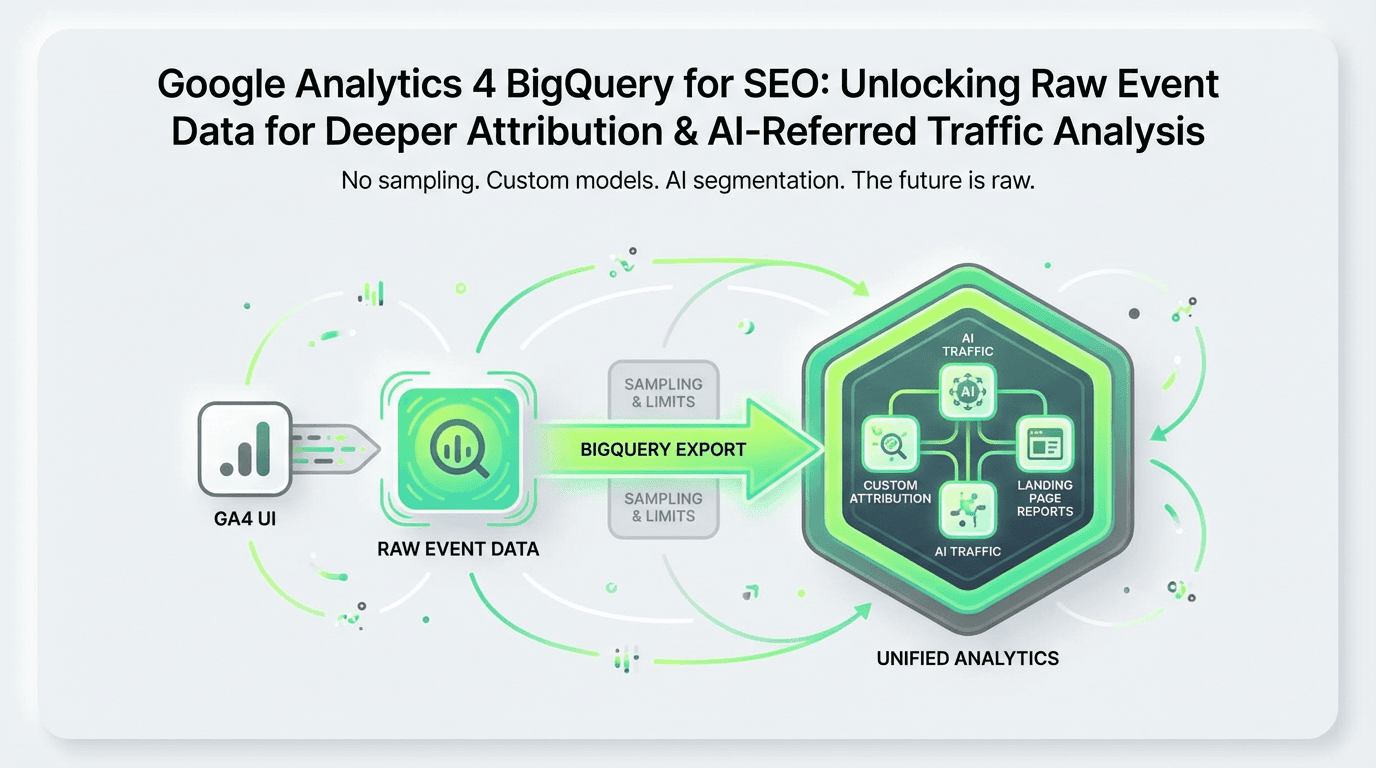
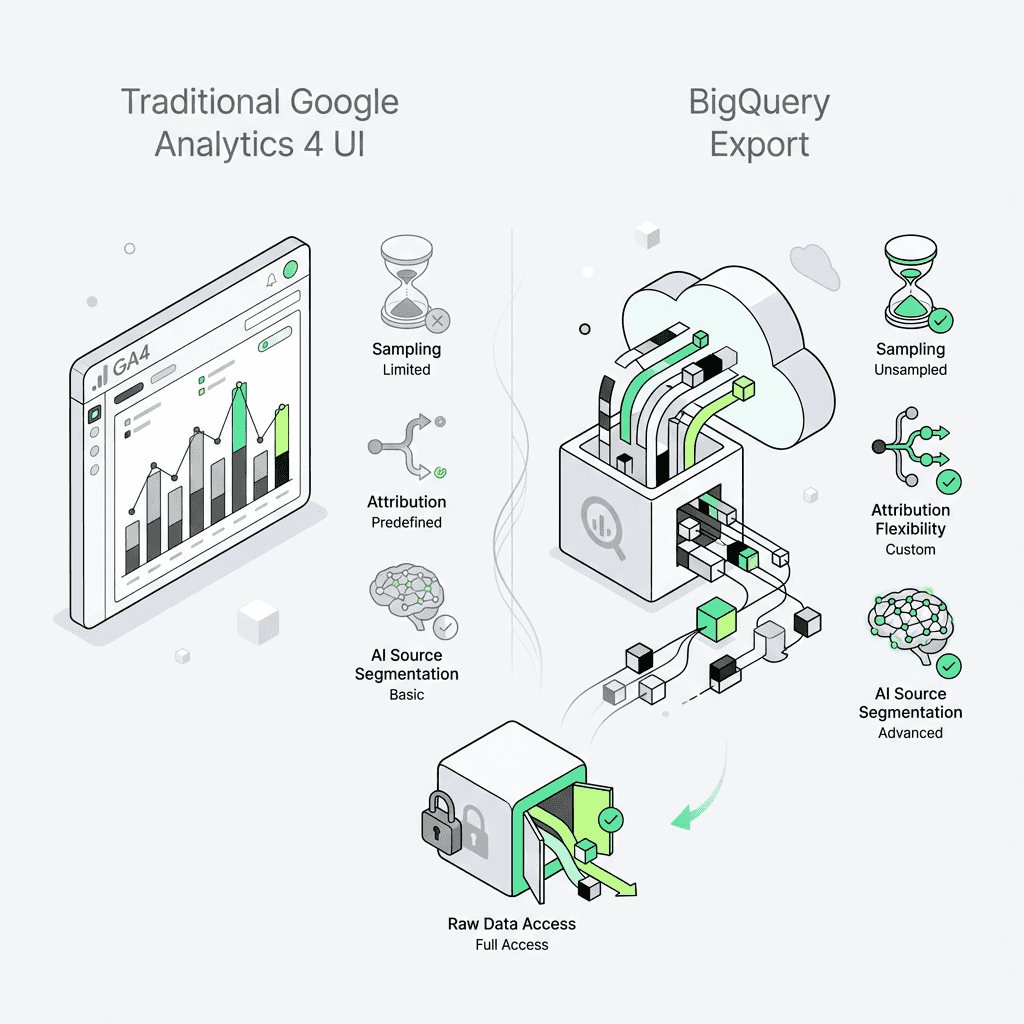
The Google Analytics 4 interface is powerful, but it has limits. Sampling kicks in at scale, attribution windows are fixed, and you can't easily segment AI-referred traffic from traditional organic search. That's where BigQuery export comes in—a direct pipeline to your raw, unsampled event data that enables SQL-powered SEO analysis far beyond what the UI allows. For digital marketers seeking more control, leveraging an ai tool for digital marketing can further enhance the value of this raw analytics data.
In this guide, you'll learn how to leverage the bigquery export feature to build landing page reports, attribute conversions to organic channels, and—critically—identify traffic from emerging AI sources like ChatGPT and Perplexity. We'll walk through the table schema, provide practical standard SQL templates, and show how modern teams are using AI marketing automation to turn this analytics data into actionable growth insights.
Why BigQuery Export Matters for SEO Teams
Traditional analytics interfaces aggregate data for speed and simplicity. But SEO professionals need granular access to understand:
True attribution: Which landing pages and organic queries drive conversions, not just sessions?
Funnel drop-off: Where do users from organic search exit your conversion path?
AI-search visibility: How much traffic comes from ChatGPT, Perplexity, and other AI answer engines versus Google organic?
Custom segmentation: Combine GSC data, CRM revenue, and behavioral signals in ways the Google Analytics 4 UI doesn't support.
With landing page analysis using the BigQuery export, you move from dashboards to data warehouses—where every event, event parameter, and user property is queryable at the raw event data level.
The shift is real: According to recent industry data, AI-referred traffic now represents 5-12% of total organic traffic for SaaS and content-heavy sites. Without the BigQuery export, you can't distinguish `source=chatgpt` from `source=google`—making it impossible to measure the ROI of your AEO (Answer Engine Optimization) efforts. Teams leveraging ai workflows for growth gain a competitive edge by harnessing these new sources.
Understanding the Table Schema for Google Analytics 4
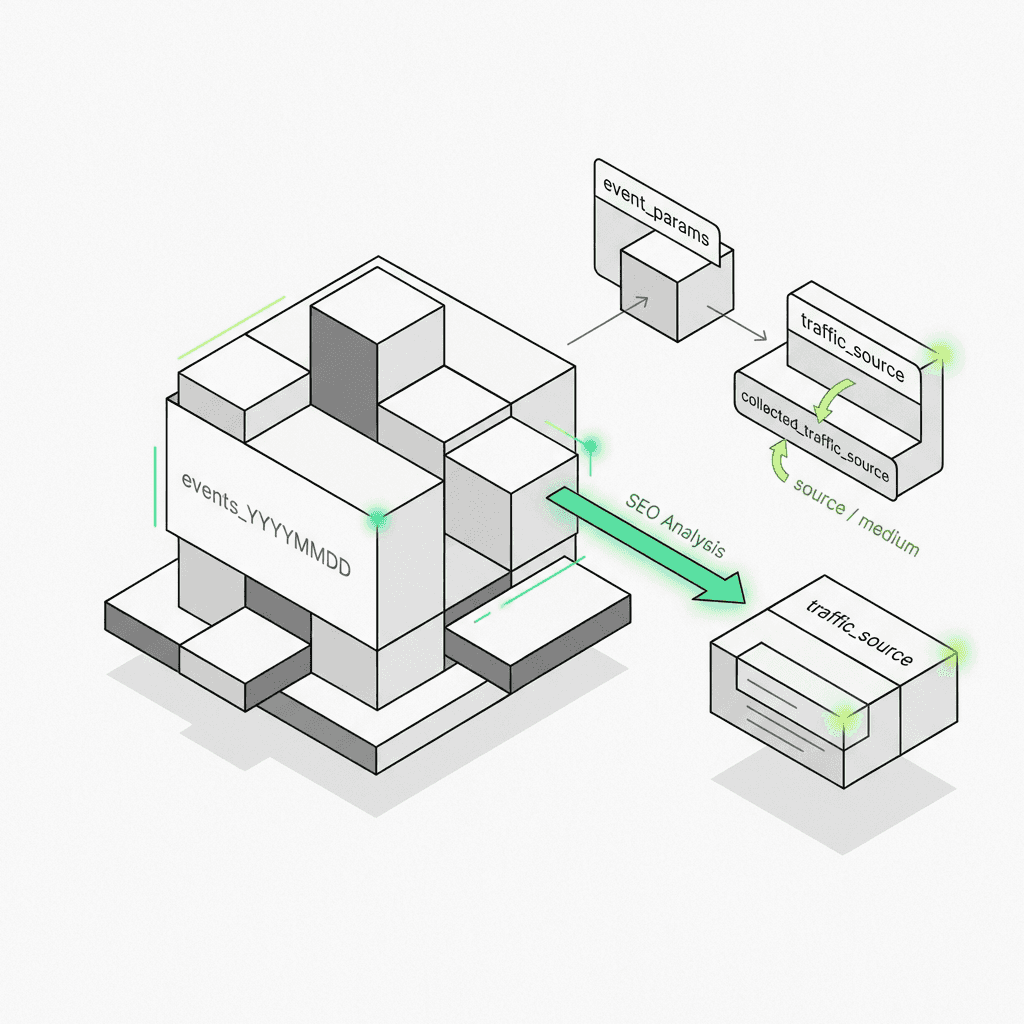
Before writing standard SQL, you need to understand the structure of your analytics data. When you enable the bigquery export feature in your Google Analytics account, Google creates a dataset in your Google Cloud project with daily export tables named `events_YYYYMMDD` and (optionally) intraday tables `events_intraday_YYYYMMDD`.
Key Schema Components for SEO Analysis
Each row in the daily export table represents a single event. Here are the fields most relevant for SEO conversion tracking and attribution:
Event-Level Fields
`event_name`: The type of event (e.g., `page_view`, `purchase`, `form_submit`)
`event_timestamp`: When the event occurred (in microseconds, UTC)
`event_params`: A repeated RECORD containing key-value pairs like `page_location`, `page_title`, and custom event parameters
User & Session Fields
`user_pseudo_id`: A unique identifier for each user (similar to Client ID)
`user_id`: Your custom user ID if you've implemented user identification
`ga_session_id`: Found within event parameters, this groups events into sessions
Traffic Source Fields (Critical for Attribution) The table schema includes two traffic source RECORDs:
`traffic_source`: User-scoped attribution (first touch)
`collected_traffic_source`: Session-scoped attribution (last non-direct click)
For standard SQL queries focused on organic search, you'll typically filter where `collected_traffic_source.manual_medium = 'organic'` or use the derived `session_traffic_source_last_click.medium` field. Utilizing an ai marketing workspace can simplify this process for teams needing advanced segmentation.
Page & Content Fields Buried in the event parameters array:
`page_location`: Full URL of the page
`page_referrer`: Previous page URL
`entrances`: Indicates if this was the landing page for the session
Schema Reference: Extracting Event Parameters with UNNEST
Because event parameters is a repeated RECORD, you need to unnest it in your standard SQL:
This pattern—unnesting and filtering by `key`—is fundamental to all table schema queries in the Google Cloud Platform.
Practical Standard SQL Templates for SEO Analysis
Now let's build the reports that matter for organic growth teams using the query editor.
1. Landing Page Performance Report
Which organic landing pages drive the most sessions and conversions?
What this reveals: Your top organic entry points and their actual conversion performance—not just pageviews. Export this to Google Sheets or your BI tool to prioritize content optimization. Teams using ai tools for content marketing can also integrate these insights for more targeted campaigns.
2. Session-Level Attribution: Organic Search vs AI Search
Here's where AI for SEO gets practical. AI answer engines like ChatGPT, Perplexity, and Gemini now refer traffic with identifiable source parameters. Let's segment them using the Google Cloud Console query editor:
Why this matters: You can now answer "Is AI-search traffic converting at the same rate as Google organic?" This is the foundation of proving ROI for AEO content strategies and for leveraging ai powered marketing automation.
3. Validating Against the Google Analytics 4 UI
The raw data in your GCP project is unprocessed, so it won't match the Google Analytics 4 interface perfectly. Key differences:
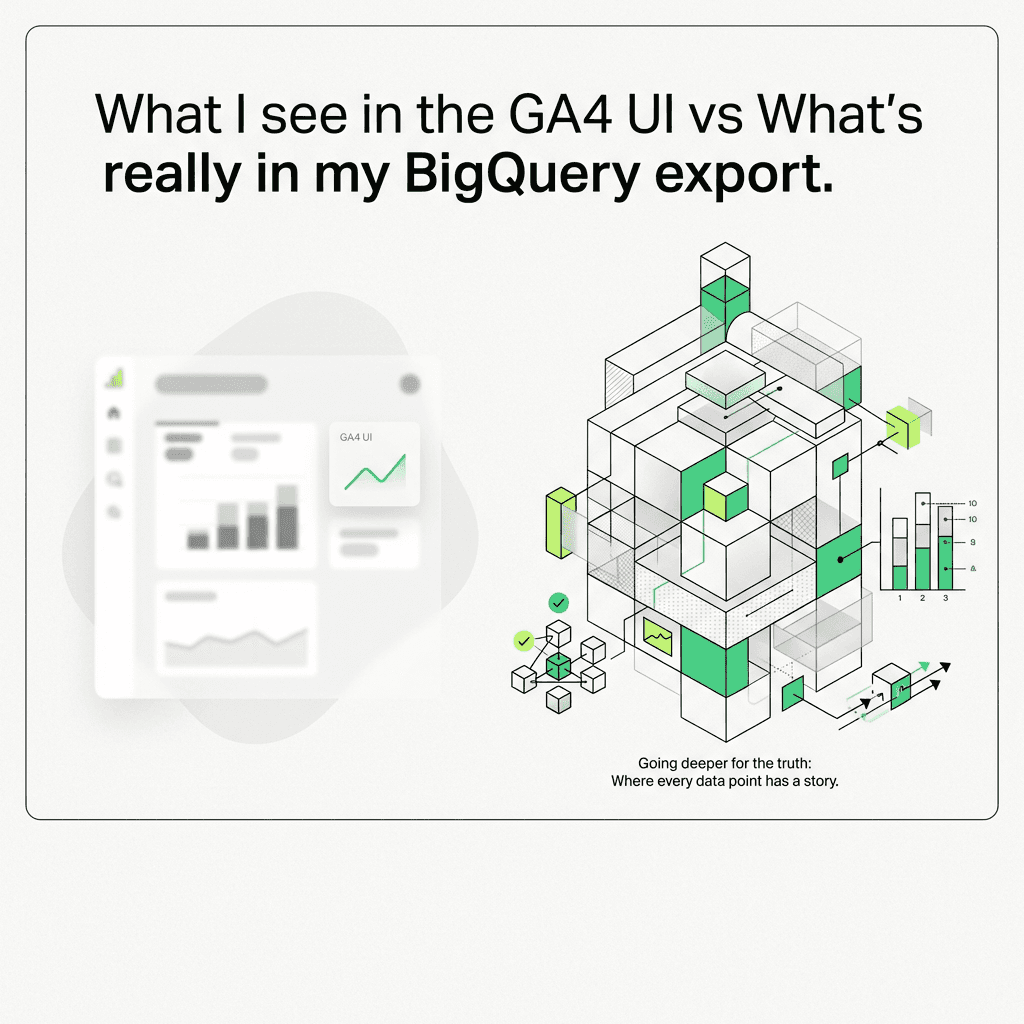
Session attribution: The UI uses a last-click model by default; in your analytics property, you define the logic.
Timezone: The timestamp in your dataset is in UTC; the UI respects your analytics property timezone.
Data freshness: Daily export tables arrive mid-afternoon and can be backfilled up to 3 days.
To validate, run a simple session count using the query editor:
Compare this to the Google Analytics 4 UI's organic session count for the same day. Small discrepancies (2-5%) are normal due to processing latency and timezone alignment.
Advanced Use Case: Multi-Touch Attribution for SEO
The Google Analytics 4 UI only shows last-click attribution. But organic search often plays an assist role—users discover your brand via a blog post, then return via direct or paid channels to convert.
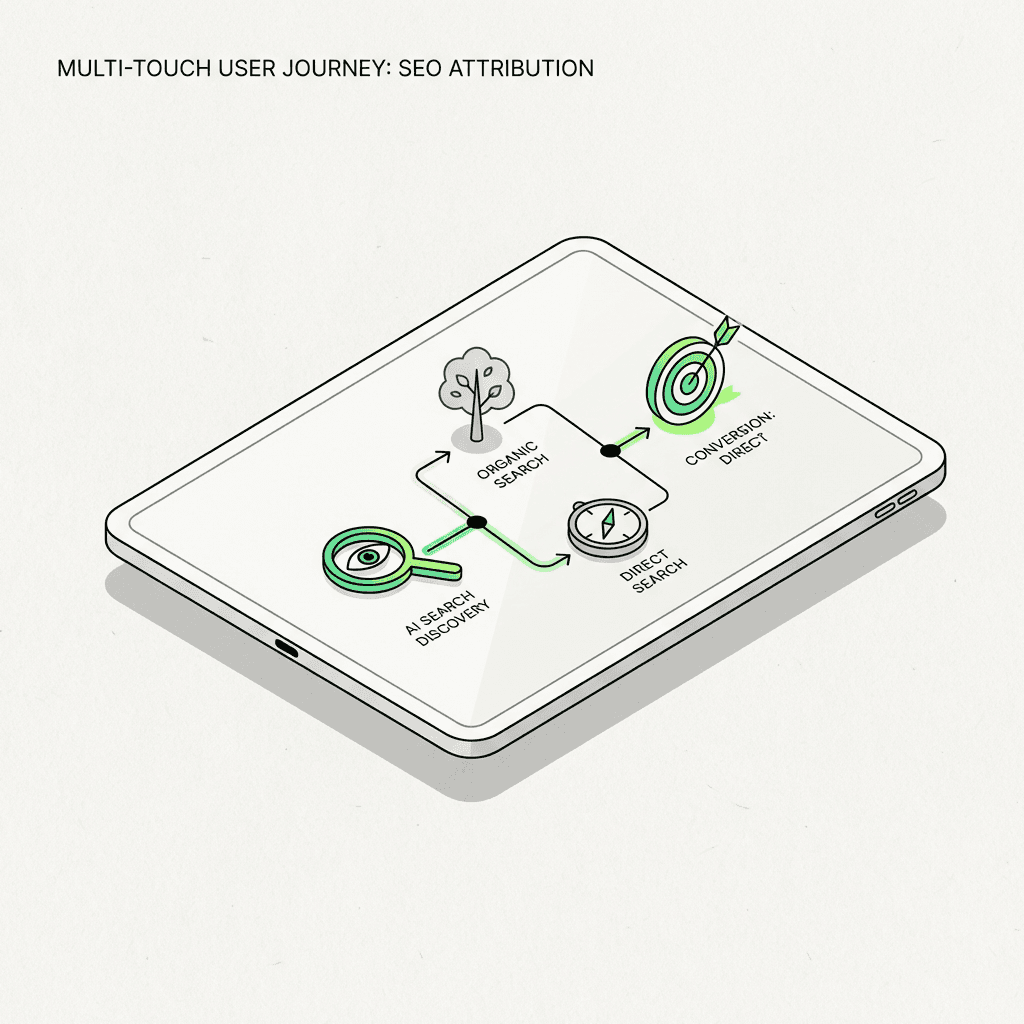
With attribution modeling in your GCP project, you can credit all touchpoints. For even more advanced workflows, consider using a no-code ai workflow builder to automate attribution analysis:
This standard SQL creates an array of all touchpoints leading to a purchase. You can then apply linear, time-decay, or position-based attribution models to allocate conversion credit.
How AI Is Changing BigQuery Export for SEO
The rise of AI-powered search is forcing a rethink of organic analytics. Traditional SEO tracked rankings and clicks from Google. Now, growth teams need to monitor:
AI-referred traffic: Sessions from ChatGPT, Perplexity, Gemini, and other LLM interfaces
Zero-click attribution: When AI answers cite your content but don't send traffic
Hybrid journeys: Users who discover you via AI search, then convert via Google organic
The problem: The Google Analytics 4 UI doesn't natively segment AI vs traditional search. You need standard SQL in your Google Cloud Console to create custom traffic categories.
The opportunity: Early adopters who instrument AI-source tracking are seeing 15-30% more attributed revenue once they account for AI-assisted conversions. Utilizing top ai tools for marketing ensures you capture this emerging opportunity.
Tracking AI Citations Beyond Google Analytics 4
The BigQuery export captures traffic that reaches your site. But what about AI citations that don't send clicks? Tools like Metaflow AI can monitor citation databases (OpenAI, Perplexity, Anthropic) and join that analytics data with your export data to measure total brand visibility across traditional and AI search.
The Metaflow Advantage: Unified Analytics Pipelines for Growth Teams
Here's the reality: SEO conversion tracking in 2026 requires stitching together multiple data sources:
Google Search Console: Queries, impressions, click-through rates
BigQuery export from Google Analytics 4: Session behavior, conversions, revenue
AI citation APIs: Brand mentions in ChatGPT, Perplexity, Gemini
CRM/data warehouse: Customer LTV, deal size, churn
Most teams cobble this together with fragmented scripts, Zapier chains, and manual exports. It's cognitively exhausting and error-prone.
Metaflow AI offers a different approach: a natural language agent builder and AI automation platform designed for growth marketers who need to move fast without writing brittle code. Instead of managing connectors and ETL pipelines, you describe the workflow in plain English:
> "Every morning, join yesterday's daily export with GSC analytics data and our AI citation tracker. Identify pages that got cited by ChatGPT but saw traffic declines from Google. Send a Slack alert with the top 5 pages and suggested optimization actions."
Metaflow translates that intent into a durable, scalable pipeline—no standard SQL expertise required (though you can drop into code when you need precision). For teams running AI marketing automation workflows, this means:
Faster experimentation: Test attribution models, segmentation strategies, and reporting formats without waiting for engineering sprints
Unified workspace: Ideate, prototype, and productionize in one environment—no context-switching between notebooks, BI tools, and orchestration platforms
Cognitive bandwidth: Reclaim the mental energy spent on connector maintenance and focus on high-leverage optimization work
Unlike traditional automation stacks that fragment creativity (ideation in Notion) from execution (pipelines in Airflow), Metaflow brings both into a single, natural language interface. It's the most advanced choice among best marketing ai tools for teams who want to move at the speed of insight.
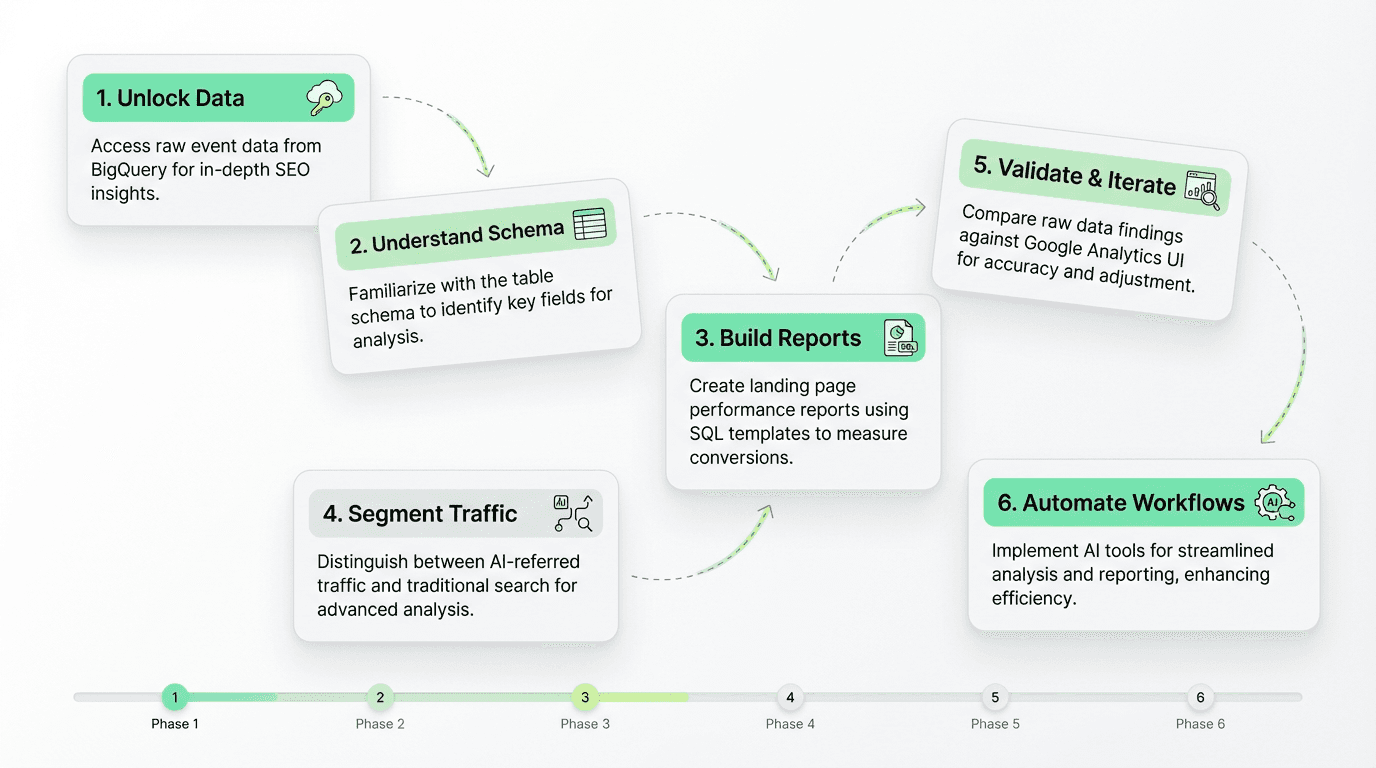
Step-by-Step: Building Your First BigQuery Export SEO Report
Ready to get hands-on? Here's the tactical path:
Step 1: Enable BigQuery Export in Your Google Analytics Account
In your Google Analytics 4 property settings, go to Admin → Product Links → BigQuery Links
Choose Daily export (the free tier supports up to 1M events/day via the BigQuery sandbox)
Optionally enable Streaming export for real-time analytics data (costs $0.05/GB)
Select your Google Cloud Platform project and dataset location
The export data will start flowing within 24 hours. The first table will be named `events_YYYYMMDD` for the previous day.
Step 2: Explore the Table Schema in the Google Cloud Console
Run this standard SQL in the query editor to see all available event parameters:
This reveals custom user properties and event parameters specific to your Google Analytics 4 implementation (e.g., `content_category`, `author_name`). Using an ai workflow builder can streamline this analysis for recurring schema audits.
Step 3: Build Your Landing Page Report
Use the standard SQL template from earlier in this guide. Key fields:
Filter by `event_name = 'session_start'` and `collected_traffic_source.manual_medium = 'organic'`
Join with conversion events (`purchase`, `generate_lead`, etc.)
Group by `page_location` to see landing page performance
Step 4: Segment AI vs Traditional Search Using Data Streams
Add a `CASE` statement to categorize sources from your data streams:
`source IN ('chatgpt', 'perplexity', 'gemini')` → AI Search
`medium = 'organic' AND source = 'google'` → Traditional Search
Step 5: Validate & Iterate in Your Analytics Property
Compare your session counts to the Google Analytics 4 UI. Expect small discrepancies due to:
Timezone differences (the timestamp in your GCP project is UTC)
Attribution window variations
Data processing latency (up to 72 hours for backfill)
Refine your standard SQL based on your team's definition of "organic session" and "conversion." For recurring improvements, an ai workflow automation for growth can ensure consistency and scalability.
Best Practices for BigQuery Export SEO Analysis
1. Use Partitioned Tables for Cost Efficiency in Your GCP Project
Always filter by `_TABLE_SUFFIX` using a wildcard to limit the date range. Scanning full sharded tables is expensive:
2. Create Materialized Views for Common Queries in Your Analytics Property
If you run the same landing page report weekly, save it as a scheduled query or materialized view in the Google Cloud Console to avoid reprocessing.
3. Join with Google Search Console Data in Your Dataset Location
Export GSC to your GCP project (via the official connector) and join on `page_location` to combine impression/click analytics data with conversion metrics from your Google Analytics 4 property.
4. Monitor AI-Referred Traffic Trends from Your Data Streams
Set up a weekly standard SQL in the query editor to track `source=chatgpt` and `source=perplexity` session growth. This is your early warning system for shifts in organic discovery. [Top ai tools for marketing] (https://metaflow.life/best-ai-tools-for-paid-social) can automate this monitoring for you.
5. Document Your Attribution Logic in Your Analytics Account
The beauty of the BigQuery export is flexibility; the risk is inconsistency. Document which fields you use for "organic session" and "conversion" in your property settings, so your team aligns on definitions.
The Future of SEO Analytics: From Dashboards to Data Warehouses
The Google Analytics 4 interface will always have a role—it's fast, visual, and accessible. But for teams serious about SEO conversion tracking and understanding the impact of AI-search, the future is in the warehouse.
The BigQuery export from your Google Analytics account gives you:
Unsampled analytics data at any scale via the free tier or BigQuery sandbox
Custom attribution models that reflect your customer journey using standard SQL
AI-search segmentation to measure AEO ROI from your data streams
Flexible joins with CRM, product analytics, and citation data in your GCP project
The learning curve is real. Standard SQL and unnesting aren't trivial. But the insight density—and the competitive advantage—makes it worth the investment.
For teams ready to move faster, AI marketing automation platforms like Metaflow are emerging as the bridge between SQL expertise and growth execution. By using natural language to define pipelines in the Google Cloud Console, you can experiment with attribution models, test segmentation strategies, and prove the ROI of AI-search optimization—without waiting for data engineering resources.
The question isn't whether to adopt the BigQuery export for SEO. It's whether you'll do it before your competitors
FAQs
What is BigQuery export for Google Analytics 4?
BigQuery export for Google Analytics 4 is a feature that creates a direct pipeline of your raw, unsampled event data from your analytics property to Google Cloud Platform. It stores data in daily export tables (events_YYYYMMDD) within your GCP project, enabling advanced SQL-powered analysis beyond the limitations of the Google Analytics 4 UI, including custom attribution modeling and AI-referred traffic segmentation.
How does BigQuery export help track AI search traffic like ChatGPT and Perplexity?
BigQuery export enables you to segment AI-referred traffic by querying the collected_traffic_source.manual_source field in your table schema using standard SQL. Sources like chatgpt, perplexity, and gemini can be identified and separated from traditional Google organic search, allowing you to measure conversion rates and revenue from AI answer engines—which now represent 5-12% of organic traffic for many sites.
What is the difference between traffic_source and collected_traffic_source in the BigQuery schema?
In the Google Analytics 4 BigQuery table schema, traffic_source represents user-scoped (first-touch) attribution, while collected_traffic_source captures session-scoped (last non-direct click) attribution. For SEO analysis, most teams filter using collected_traffic_source.manual_medium = 'organic' to identify organic sessions, as this reflects the most recent traffic source before the session started.
How do I create a landing page performance report using BigQuery export?
To build a landing page performance report, use standard SQL in the Google Cloud Console query editor to filter events where event_name = 'session_start' and unnest the event_params array to extract page_location. Join this with conversion events (like purchase or generate_lead) by matching user_pseudo_id and ga_session_id, then group by landing page to calculate sessions, conversions, and conversion rates.
Why doesn't my BigQuery data match the Google Analytics 4 UI exactly?
Discrepancies between BigQuery export data and the Google Analytics 4 UI occur because the timestamp in your GCP project uses UTC while your analytics property respects your configured timezone, attribution models may differ (the UI uses last-click by default), and daily export tables arrive with processing latency of up to 72 hours. Small variances of 2-5% are normal and expected.
What are the key event parameters needed for SEO conversion tracking in BigQuery?
Critical event parameters for SEO analysis include page_location (full URL), ga_session_id (groups events into sessions), page_referrer (previous page), and entrances (identifies landing pages). These are stored as nested records within the event_params array and must be extracted using UNNEST in your standard SQL queries within the query editor.
How can I implement multi-touch attribution for organic search using BigQuery export?
Multi-touch attribution requires creating a user journey table that aggregates all touchpoints (sessions) leading to conversion by ordering events by event_timestamp for each user_pseudo_id. Using standard SQL with ARRAY_AGG, you can build arrays of all traffic sources and mediums, then apply linear, time-decay, or position-based models to credit organic search assists—not just last-click conversions visible in the Google Analytics 4 UI.
What are best practices for querying BigQuery export tables cost-efficiently?
Always use date partitioning by filtering _TABLE_SUFFIX with specific date ranges (e.g., BETWEEN '20260201' AND '20260228') to avoid scanning entire sharded tables in your dataset location. Create materialized views in the Google Cloud Console for recurring queries, and consider joining with Google Search Console data exported to the same GCP project to combine impression and conversion analytics data efficiently.
How does Metaflow AI simplify BigQuery export analysis for SEO teams?
Metaflow AI provides a natural language agent builder that unifies Google Search Console, BigQuery export, and AI citation data into automated pipelines without requiring deep standard SQL expertise. Growth teams can describe workflows in plain English (like "join daily export with GSC data and flag pages cited by ChatGPT with traffic declines") and Metaflow translates this into production-ready data pipelines within your analytics property, eliminating engineering bottlenecks.
What is the table schema structure for Google Analytics 4 BigQuery export?
The Google Analytics 4 BigQuery table schema stores each event as a row with fields including event_name, event_timestamp (in microseconds UTC), user_pseudo_id, nested event_params (containing page_location, ga_session_id, and custom parameters), traffic_source (first-touch attribution), and collected_traffic_source (session-level attribution). Data is organized in daily tables (events_YYYYMMDD) and optional intraday tables in your GCP project dataset.
How do I validate my BigQuery SEO queries against the Google Analytics 4 interface?
Run a simple session count query using COUNT(DISTINCT CONCAT(user_pseudo_id, '.', ga_session_id)) filtered by collected_traffic_source.manual_medium = 'organic' in the query editor, then compare results to the Google Analytics 4 UI for the same date range. Account for timezone differences (your GCP project uses UTC timestamps), attribution window variations in your analytics account, and data processing latency of up to 3 days for backfilled daily export tables.
Why is AI-search tracking essential for SEO teams in 2026?
AI answer engines like ChatGPT, Perplexity, and Gemini are driving 5-12% of organic traffic for content-heavy sites, but the Google Analytics 4 UI doesn't natively distinguish these sources from traditional Google organic search. BigQuery export enables custom traffic categorization using standard SQL to segment AI-referred sessions from your data streams, measure their conversion impact, and prove ROI for Answer Engine Optimization (AEO) strategies.