




TL;DR:
Canonical tags (`rel canonical`) tell search engines which version of duplicate content to index and rank, consolidating SEO value into one preferred URL
They're a signal, not a command—Google considers canonical tags alongside sitemaps, internal links, and other factors, then selects the canonical URL algorithmically
Use canonical tags for product variants, filtered pages, tracking parameters, syndicated content, and as self-referencing declarations on all web pages
Canonical vs. 301: Use canonical tags when users need access to duplicates; use 301 redirects when permanently consolidating or moving pages
Common mistakes include pointing canonical URLs to non-indexable pages, creating canonical chains, or conflicting with sitemap/internal link signals
LLMs don't respect canonical tags—duplicate content now risks AI citation dilution, making aggressive consolidation and robots txt blocking more important for AI search optimization
Automate canonical tag diagnostics at scale with AI SEO agents (like Metaflow workflows) that crawl your site, cross-reference Google Search Console data, and alert on mismatches—no code required
Always align canonical tags with sitemaps and internal links, monitor Google-selected canonical URLs in Search Console, and audit regularly to prevent ranking dilution and index bloat
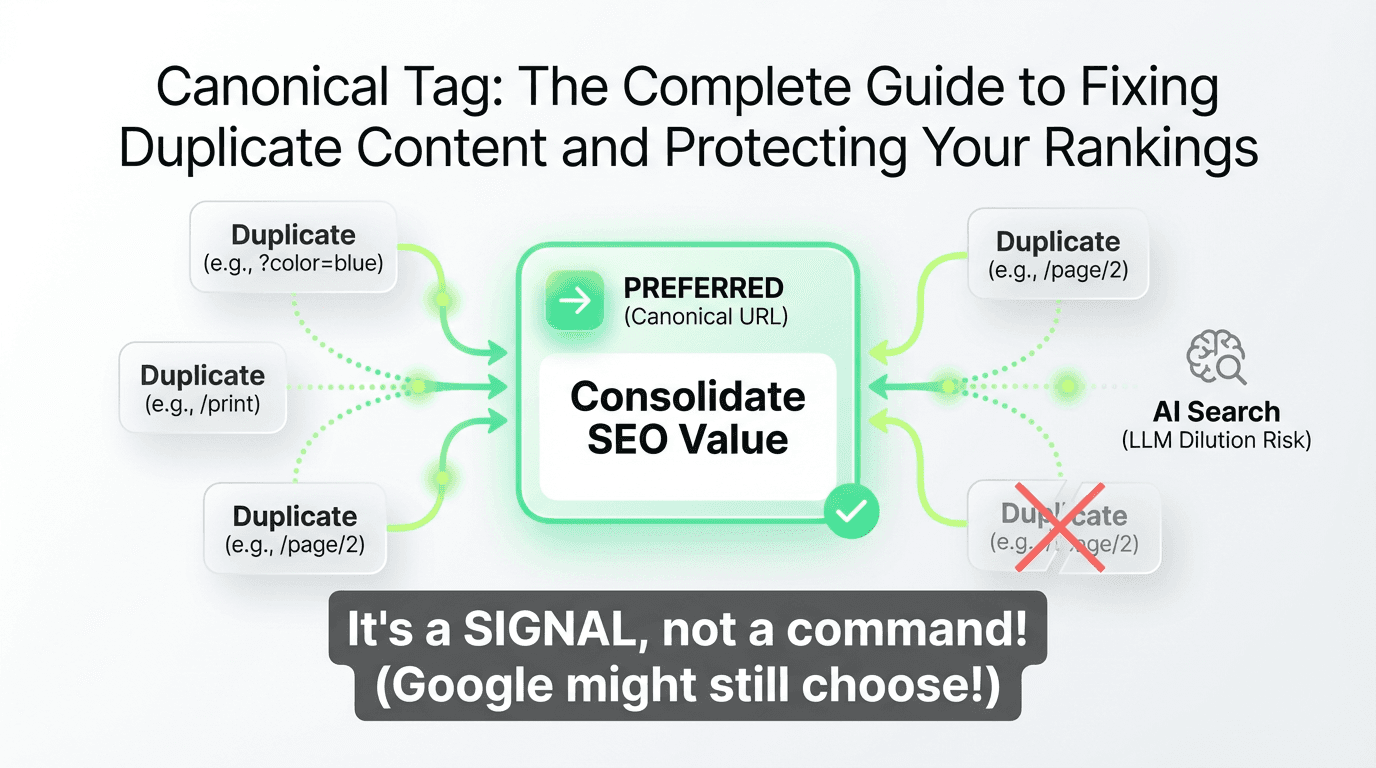
If you've ever published the same content across multiple URLs—whether through pagination, URL parameters, or print versions—you've created a duplicate content problem. And while Google won't penalize you for it, duplicate content quietly dilutes your rankings, fragments your backlink equity, and confuses search engines about which version to show in search results.
That's where the canonical tag comes in. This simple HTML element tells search engines which version of a page you want to rank, consolidating all the SEO value into one preferred URL. But here's the catch: Google doesn't always listen. The canonical tag is a hint, not a directive, and understanding how canonicalization actually works is critical to maintaining a clean, high-performing website.
In this guide, we'll walk through everything you need to know about canonical tags in SEO—from implementation and common mistakes to advanced diagnostics and how AI is changing the duplicate content landscape. Whether you're dealing with self-referencing canonical tags, choosing between a canonical vs 301 redirect, or trying to optimize for AI search, this is your definitive resource.
What Is a Canonical Tag?
A canonical tag (formally `rel="canonical"`) is an HTML element that specifies the preferred version of a web page when multiple URLs contain identical or very similar content. It's placed in the `` section of your HTML and points search engines to the "canonical URL"—the version you want indexed and ranked.
Here's a tag example:
This line tells Google, Bing, and other search engines: "This is the authoritative version. Consolidate all ranking signals here."
Why Canonical Tags Matter for SEO
Duplicate content is more common than you think. E-commerce sites generate variants through filters and sorting. Blogs create printer-friendly versions. Marketing campaigns append tracking parameters. Without proper canonicalization, you risk:
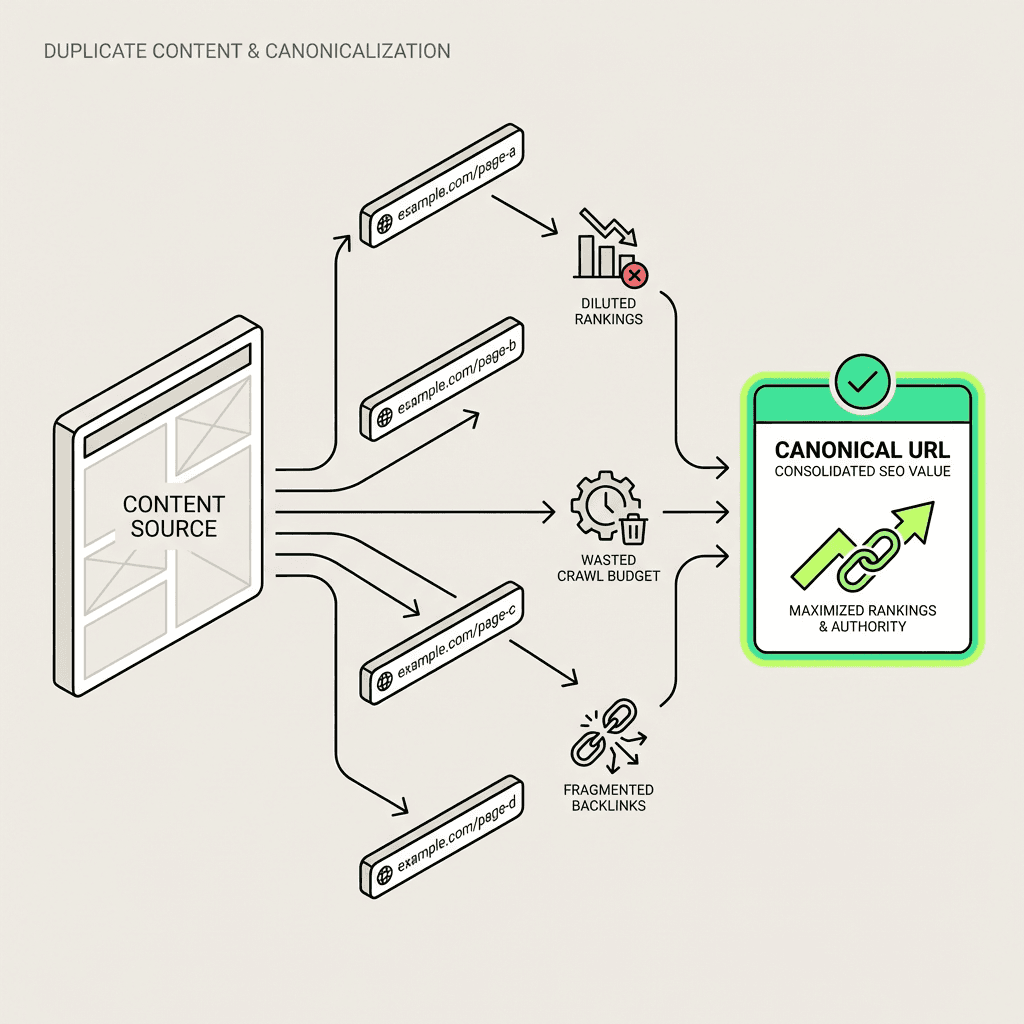
Ranking dilution: Search engines split authority across duplicates instead of consolidating it
Index bloat: Your crawl budget gets wasted on redundant web pages
Backlink fragmentation: External links to different versions don't combine their SEO value
Wrong version ranking: Google might choose a URL you don't want in search results
The canonical link tag solves these problems by consolidating signals—but only if implemented correctly. For teams using an AI marketing automation platform, maintaining clean canonicalization is even more crucial as automation can rapidly scale content variants.
How Canonicalization Works: Signals vs. Decisions
Here's a critical concept many SEOs misunderstand: the rel canonical tag is a signal, not a command. Google's algorithm considers your rel=canonical directive alongside other factors—internal links, sitemaps, redirects, hreflang tags, and more—then makes its own decision about which URL to index.
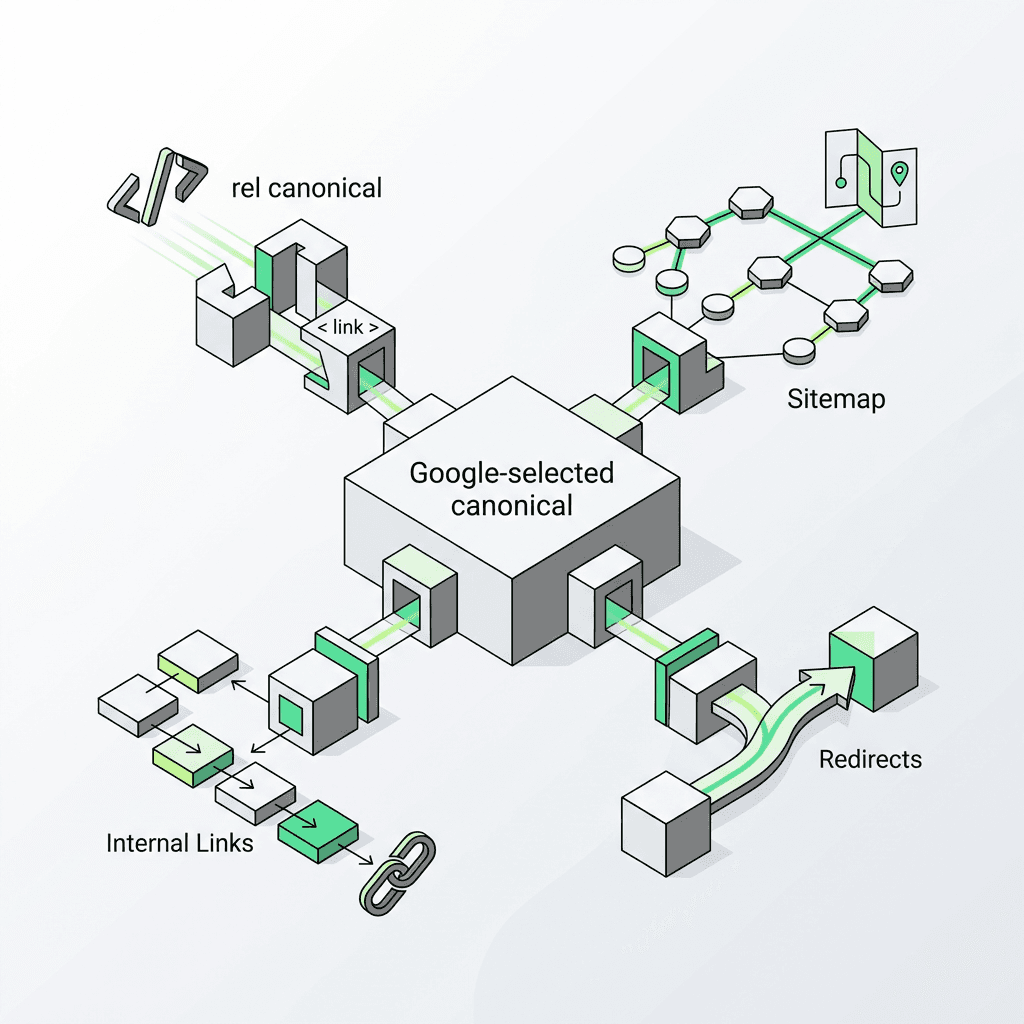
Google calls this the "Google-selected canonical." Sometimes it matches your declared canonical URL. Sometimes it doesn't.
Canonical Signals Google Considers
rel canonical tag – Your explicit preference
Sitemap inclusion – URLs in your XML sitemap are treated as preferred versions
Internal links – The URL you link to most often internally
Redirects – 301/302 redirects signal a preferred destination
HTTPS vs. HTTP – Secure versions are favored
URL structure – Cleaner, shorter URLs often win
hreflang annotations – For international duplicate content
If these signals conflict—say, your canonical URL points to one page but your sitemap and internal link structure point to another—Google will choose algorithmically. That's why consistency across signals is essential for your site.
When to Use a Canonical Tag in SEO
Canonical tags are the right solution for specific duplicate content scenarios. Here's when to use them on your website:
1. Product Variants and Filtered Pages
E-commerce sites generate dozens of URLs for the same products through filters, sorting, and pagination:
`example.com/shoes`
`example.com/shoes?color=blue`
`example.com/shoes?color=blue&size=10`
Set the canonical URL to the main category page to consolidate authority and avoid duplicate content issues.
2. Print and Mobile Versions
If you maintain separate print-friendly or mobile-specific URLs, use canonical tags to point back to the original version:
3. Content Syndication
When republishing content on third-party sites (Medium, LinkedIn, partner blogs), ask them to include a canonical link element referencing your original article:
This protects your rankings and ensures you get credit as the source, preventing duplicate content issues across web pages.
4. Tracking Parameters
Marketing campaigns often add UTM parameters that create duplicate URLs:
`example.com/landing-page`
`example.com/landing-page?utm_source=email&utm_campaign=spring`
Canonicalize to the clean version without parameters to consolidate ranking signals.
5. Self-Referencing Canonical Tags
Even when a page has no duplicates, adding a self-referencing canonical tag is considered best practice. It explicitly declares the page's canonical URL and prevents future duplication issues:
Google's John Mueller has confirmed this is a "safe" practice and helps clarify intent to search engines.
Canonical Tag vs. 301 Redirect: Which Should You Use?
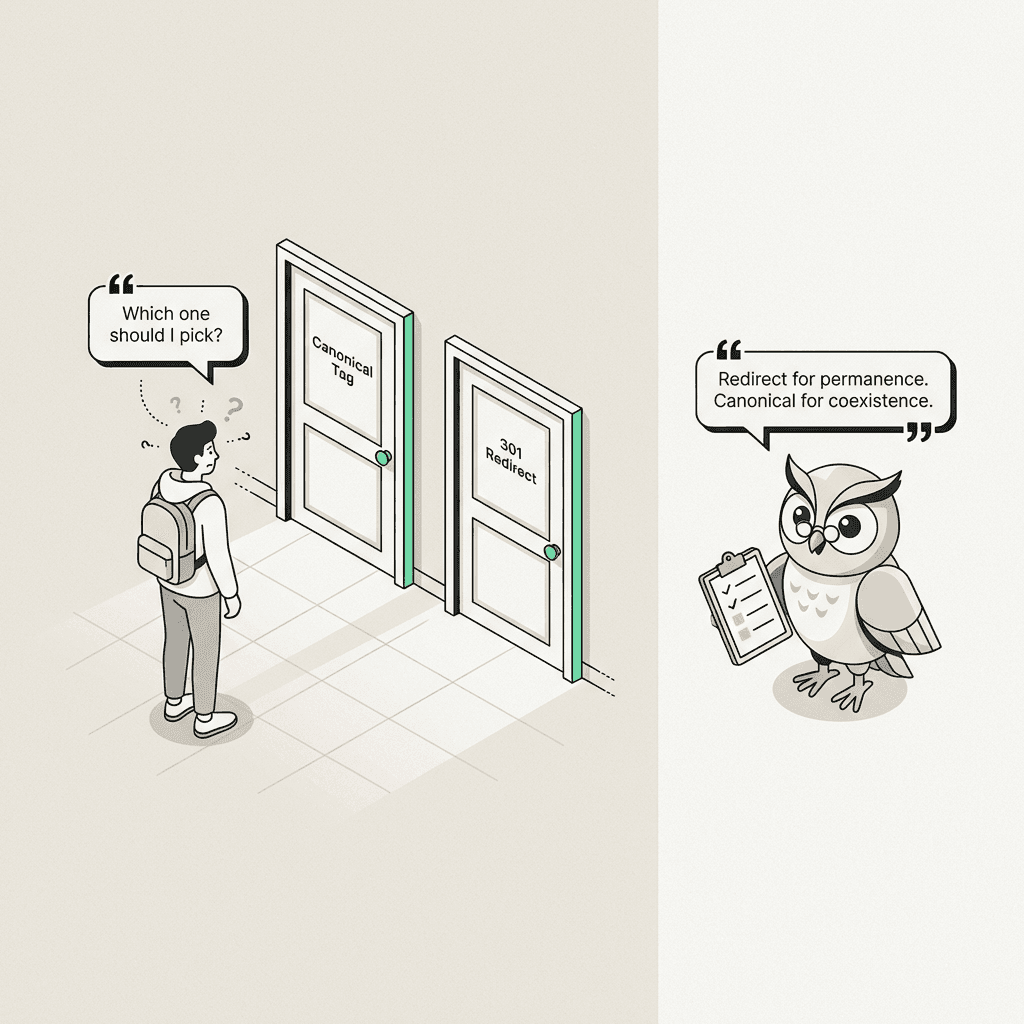
Both canonical tags and 301 redirects consolidate duplicate content, but they serve different purposes on your website.
Scenario | Use Canonical | Use 301 Redirect |
|---|---|---|
Content must remain accessible on multiple URLs | ✅ Yes | ❌ No |
Permanently moving a page | ❌ No | ✅ Yes |
Consolidating similar/duplicate pages | ✅ Yes | ✅ Yes (preferred if no user need for duplicates) |
Third-party syndication | ✅ Yes | ❌ No (you can't control their redirects) |
Speed of consolidation | Slower (Google must recrawl and process) | Faster (immediate redirect) |
Rule of thumb: If users don't need access to the duplicate URL, use a 301 redirect. If they do (e.g., filtered product pages, print versions), use a canonical tag to avoid issues.
How to Implement Canonical Tags: Code Examples
1. HTML Canonical Tag (Most Common)
Place this in the `` section of your HTML code:
2. HTTP Header Canonical (For Non-HTML Files)
For PDFs, images, or other non-HTML resources, use an HTTP header:
This is especially useful for duplicate documents or downloadable assets on your site.
3. Canonical Tag in WordPress
Most SEO plugins (Yoast SEO, Rank Math, All in One SEO) add self-referencing canonical tags automatically. To set a custom canonical URL in WordPress:
Yoast SEO: Edit the page → Advanced tab → Canonical URL field
Rank Math: Edit page → Advanced tab → Canonical URL
4. Canonical Tags in Shopify
Shopify automatically adds self-referencing canonical tags to product and collection pages. For custom implementation, edit your theme's `theme.liquid` file:
Common Canonical Tag Mistakes (And How to Fix Them)
❌ Mistake 1: Pointing to Non-Indexable Pages
Never set a canonical URL to a page that's:
Blocked by robots txt
Returning 404 or 500 errors
Redirecting elsewhere
Marked noindex
Fix: Ensure your canonical URL is live, indexable, and returns a 200 status code to avoid indexing issues.
❌ Mistake 2: Conflicting Canonicals in Pagination
Paginated series (page 1, 2, 3...) should each have a self-referencing canonical tag, not all pointing to page 1.
Fix: Let each paginated page canonicalize to itself. Use `rel="next"` and `rel="prev"` if needed (though Google deprecated these in 2019).
❌ Mistake 3: Canonical to a Different Language/Region
Don't canonicalize English content to Spanish content, or US content to UK content—this creates issues with search engine indexing.
Fix: Use `hreflang` tags for international variants, and keep canonical tags within the same language/region.
❌ Mistake 4: Multiple Canonical Tags on One Page
Having more than one canonical tag element confuses search engines. Google will likely ignore all of them.
Fix: Audit your HTML and ensure only one `rel="canonical"` tag exists per page in the header.
Diagnosing Canonical Issues at Scale
For small sites, manual checks work. But for enterprise sites with thousands of web pages, you need systematic diagnostics.
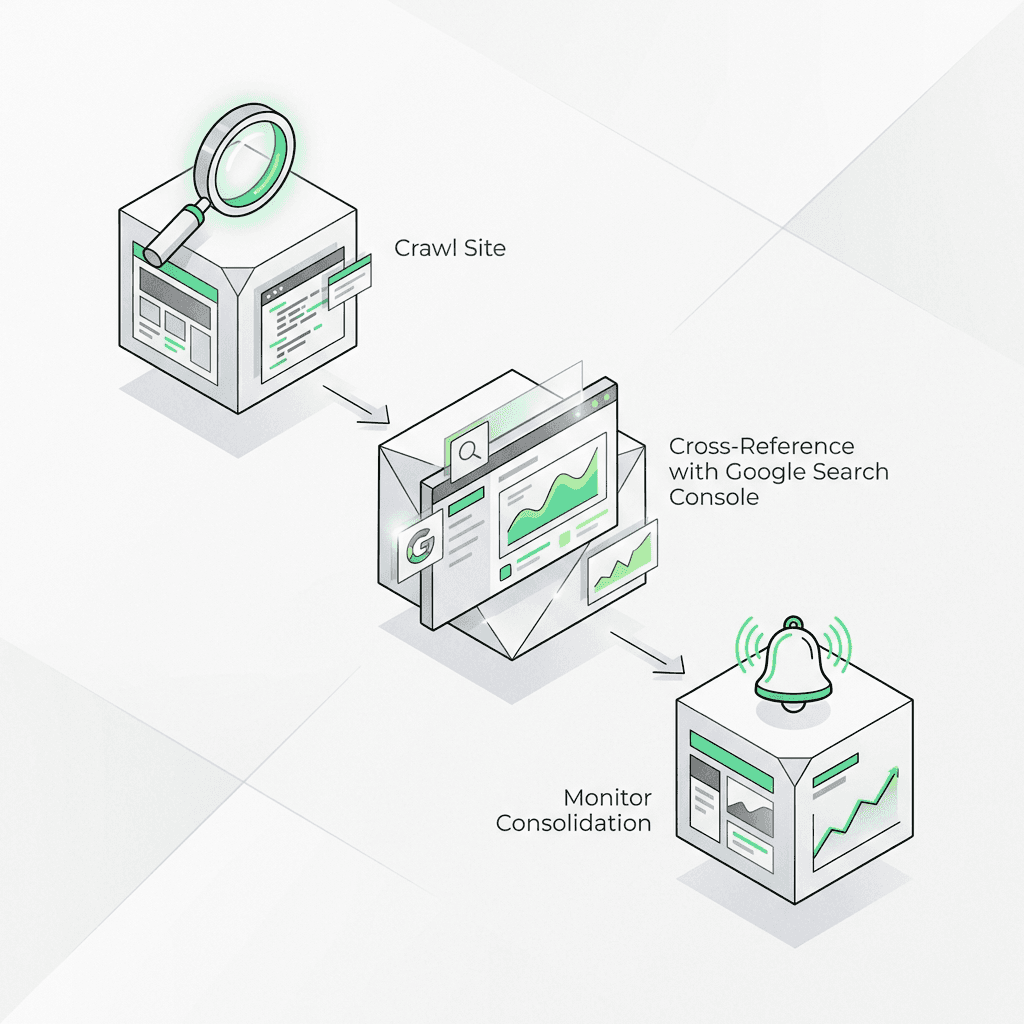
Step 1: Crawl Your Site
Use tools like Screaming Frog, Sitebulb, or DeepCrawl to:
Identify pages with missing canonical tags
Find canonical chains (A → B → C)
Detect canonical tags pointing to 404s or redirects
Step 2: Cross-Reference with Google Search Console
Google Search Console shows the Google-selected canonical URL for indexed pages:
Go to Coverage or Page Indexing report
Click on any indexed URL
Check "Google-selected canonical" vs. "User-declared canonical"
If they differ, investigate the issue. Common causes:
Conflicting signals (sitemap, internal links, redirects)
Canonical URL pointing to a redirect or error page
Google detecting better-suited duplicate
Step 3: Monitor Canonical Consolidation
After implementing canonical tags, monitor in Search Console:
Are duplicate URLs dropping from the index?
Is the preferred version ranking?
Are impressions/clicks consolidating to the canonical URL?
This process can take weeks or months, depending on crawl frequency and how search engines process your site.
Canonical Tags and Sitemaps: A Powerful Combination
Your XML sitemap is another canonicalization signal. Google treats URLs in your sitemap as "preferred" versions of your web pages.
Best practices:
Only include canonical URLs in your sitemap
Don't include paginated pages, filtered pages, or parameter-heavy URLs
Ensure sitemap URLs match your declared canonical tags
If your sitemap includes `example.com/page-a` but your canonical tag points to `example.com/page-b`, you're sending mixed signals to search engines.
How AI and LLMs Are Changing Duplicate Content
Here's a reality most SEOs haven't caught up with yet: LLMs don't understand canonical tags.
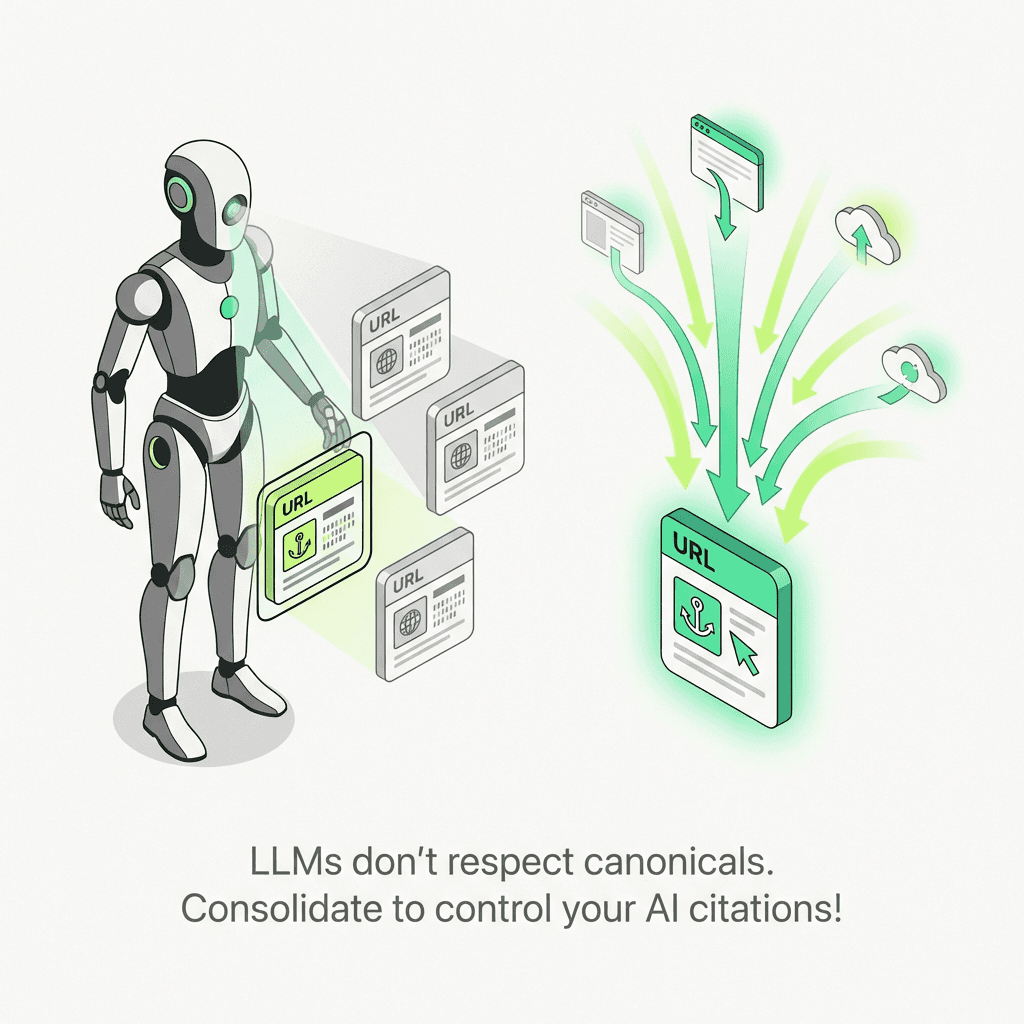
When large language models like ChatGPT, Claude, or Google's AI Overviews scrape and train on web content, they don't respect rel canonical. They see every accessible URL as a distinct source. That means:
AI citation dilution: If you have duplicate content on three URLs, an LLM might cite the wrong version—one you didn't want to promote
Training data fragmentation: Your content's "authority" in AI systems gets split across duplicates
Lost attribution: You might lose credit as the original source if a syndicated or scraped version gets cited instead
This extends canonicalization from a pure SEO concern to an AI search optimization challenge. As AI-driven search (Google's SGE, Perplexity, Bing Chat) becomes more prominent, controlling which version of your content gets surfaced becomes even more critical. For businesses, leveraging AI powered marketing tools is an emerging way to maintain control over content attribution in the age of generative AI.
Optimizing Canonicals for LLM Optimization
To maximize your chances of being cited correctly by AI systems and avoid duplicate content issues:
Aggressively consolidate duplicates – Use 301 redirects where possible
Block low-value duplicates from crawling – Use robots txt to prevent AI scrapers from accessing filtered/parameterized pages
Strengthen canonical signals – Ensure consistency across canonical tags, sitemaps, internal links, and structured data
Monitor AI citations – Track where your content appears in AI-generated answers and adjust if non-preferred versions are cited
Automate Canonical Diagnostics with AI Agents
Manual canonical audits are time-consuming and error-prone. For large sites, you need automation—and this is where AI agents for marketing shine.
The Metaflow AI Approach to Canonicalization
Imagine an AI SEO agent that:
Crawls your site and detects canonical mismatches at scale
Cross-references your declared canonical URLs with Google's selected canonical URLs via the Search Console API
Alerts on discrepancies when Google ignores your canonical tags
Runs on a schedule (weekly, monthly) so you catch issues before they hurt rankings
Presents findings in Cards for team review and prioritization
This isn't hypothetical. With Metaflow AI—a no-code AI agent builder designed for growth and SEO teams—you can design exactly this workflow in natural language. No engineering resources required.
Here's how it works:
Define the agent's goal: "Monitor canonical tag consistency across my site and alert on mismatches."
Connect data sources: Crawl API, Google Search Console API, your sitemap
Set the logic: Compare user-declared vs. Google-selected canonical URLs; flag conflicts
Automate the schedule: Run weekly and send Slack alerts or populate a dashboard
Iterate and refine: Adjust the agent's logic as your site evolves
Unlike rigid automation stacks that require connectors and code, Metaflow brings ideation and execution into one workspace. You design the agent, test it, then deploy it as a durable workflow—freeing your team to focus on strategic SEO work instead of repetitive audits.
This is the future of technical SEO: AI agents that handle diagnostics, monitoring, and reporting autonomously, so you can focus on high-impact optimization. For marketers, integrating such AI productivity tools for marketing can streamline technical SEO tasks and boost overall efficiency.
Tactical Checklist: Implementing Canonicals Correctly
Here's your step-by-step process for canonical tag implementation:
✅ 1. Identify Duplicate Content Patterns
Run a crawl with Screaming Frog or Sitebulb
Look for URL parameters, pagination, HTTPS/HTTP variants, trailing slash inconsistencies
✅ 2. Choose Your Canonical URL for Each Content Cluster
Pick the cleanest, most user-friendly version
Prefer HTTPS over HTTP
Prefer URLs without parameters
Prefer shorter, descriptive URLs
✅ 3. Implement rel canonical on All Duplicates
Add the canonical tag to the `` section of each duplicate page
Point to the same canonical URL consistently across all versions
✅ 4. Add Self-Referencing Canonicals to All Pages
Even unique pages should declare their own canonical URL
Prevents future duplication issues on your site
✅ 5. Update Your XML Sitemap
Include only canonical URLs
Remove duplicates, parameters, and non-preferred versions
✅ 6. Align Internal Links
Link to canonical URLs throughout your website
Avoid linking to non-canonical versions to strengthen signals
✅ 7. Monitor in Google Search Console
Check "Google-selected canonical" in the Page Indexing report
Investigate discrepancies and fix any issue
Track indexation changes over time
✅ 8. Audit Regularly
Schedule quarterly canonical tag audits
Use AI agents (like Metaflow workflows) to automate monitoring
Advanced: Canonical HTTP Headers for Non-HTML Content
If you're serving duplicate PDFs, images, or other non-HTML files, you can't use an HTML `` element. Instead, use an HTTP header canonical.
Example HTTP response header code:
This tells search engines that `whitepaper.pdf` is the canonical version, even if the file is accessible from multiple URLs on your website.
Canonical Tags and International SEO: Use Hreflang Instead
A common mistake: using canonical tags to link language or regional variants of your blog or article pages.
Don't do this:
This tells Google the Spanish page is a duplicate of the English page—wrong.
Do this instead:
Use hreflang for international variants and keep canonical tags within the same language/region to avoid indexing issues.
Measuring the Impact of Canonical Tags
After implementing canonical tags, track these metrics on your website:
1. Index Coverage
Are duplicate URLs dropping from Google's index?
Check in Search Console under "Excluded" → "Duplicate, Google chose different canonical"
2. Organic Traffic Consolidation
Is traffic consolidating to the canonical URL?
Compare pre/post traffic in Google Analytics for canonical vs. duplicate URLs
3. Ranking Improvements
Did the canonical URL's rankings improve after consolidation?
Use rank tracking tools to monitor position changes for your web pages
4. Crawl Efficiency
Is Googlebot spending more time on important pages?
Check crawl stats in Search Console to see how search engines are crawling your site
Canonical consolidation can take 4-12 weeks to fully take effect, so be patient and monitor consistently.